The Benefits of Having a WordPress Staging Site

Testing website changes on a live site is like performing surgery without anaesthesia – painful, risky, and completely avoidable. Every plugin update, design tweak, or code modification you push directly to your live WordPress site puts your business reputation, search rankings, and revenue at risk.
A WordPress staging site acts as your safety net, giving you a private testing environment where you can experiment, optimise, and perfect changes before they reach your audience. At PWD Digital Agency, we’ve seen too many businesses learn this lesson the hard way – watching their conversions plummet because a “quick update” broke their checkout process or contact forms.
We’ll walk you through exactly why staging sites are essential for any serious WordPress website and how they can save you from costly mistakes that could damage your brand’s credibility.
What Makes a WordPress Staging Site Essential
A staging site creates an exact copy of your live website in a separate, private environment. Think of it as your website’s dress rehearsal space where you can test new features, designs, and functionality without affecting your live site’s performance or user experience.
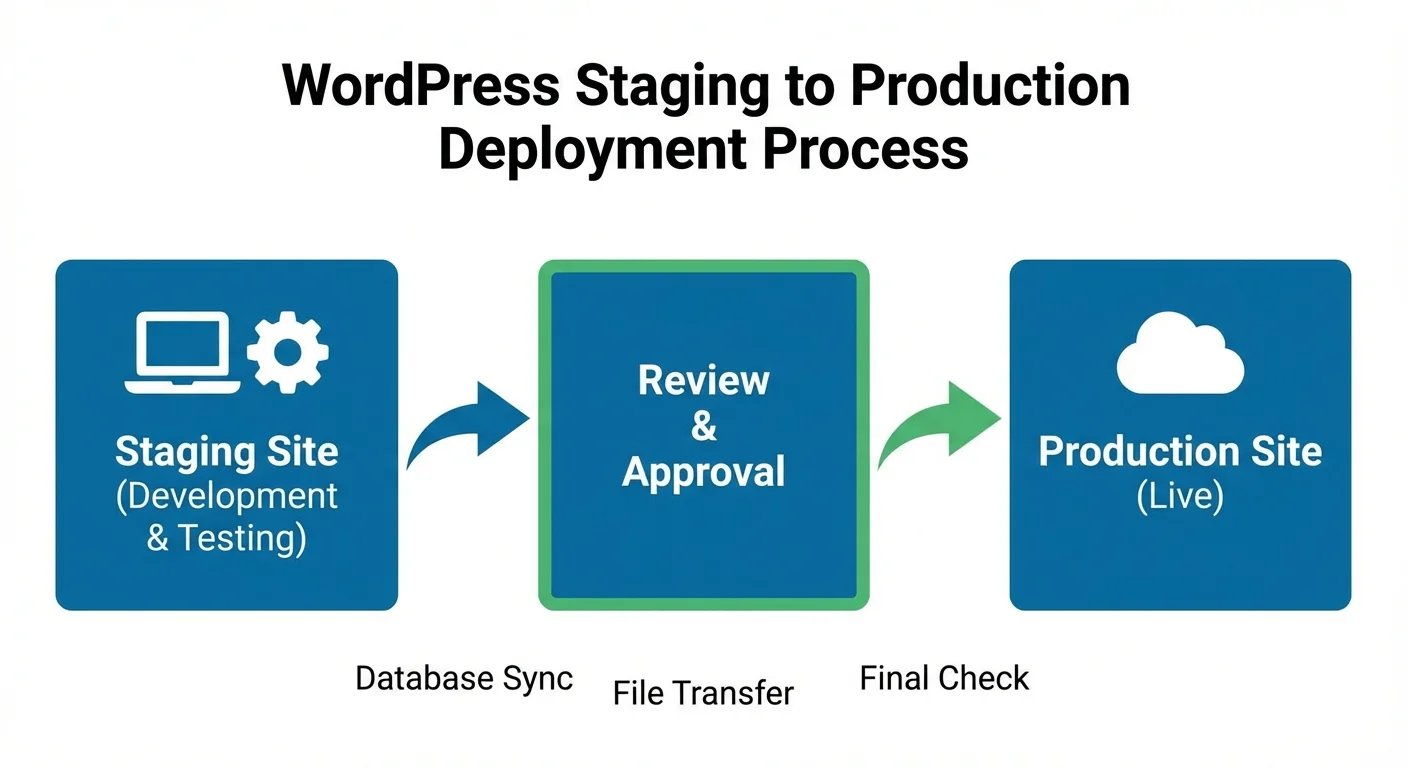
Most quality web hosts offer one-click staging site creation, making setup straightforward. You simply duplicate your live site, make your changes on the staging version, test everything thoroughly, then push the approved changes to your live site. This process eliminates the guesswork and reduces the chance of breaking something important.
The staging environment mirrors your live site’s server conditions, plugins, themes, and content – giving you accurate testing conditions that reveal how changes will actually perform for your visitors.
Key Benefits of Using a WordPress Staging Site
Prevent Costly Website Crashes and Downtime
Website crashes don’t just frustrate visitors – they cost you money every second they persist. When your site goes down, you’re losing potential leads, sales, and damaging your search engine rankings. Google’s algorithms favour websites that provide consistent, reliable experiences.
Plugin conflicts, theme incompatibilities, and coding errors are inevitable when you’re actively maintaining and improving your website. These issues can break contact forms, e-commerce functionality, or render entire pages unusable. A staging site catches these problems before they reach your audience.
We’ve worked with clients who lost thousands in revenue because a plugin update broke their booking system during peak business hours. That’s completely preventable with proper staging site testing.
Test New Designs and Features Risk-Free
Innovation requires experimentation, but experimenting on your live website limits your creative options. With a staging site, you can completely reimagine your website’s usability and design without worrying about disrupting your current user experience.
You can test different homepage layouts, try new colour schemes, experiment with navigation structures, or implement advanced functionality. This freedom allows you to make data-driven decisions about what actually improves your website’s performance rather than settling for safe, incremental changes.
The staging environment also lets you gather feedback from team members or clients before changes go live, ensuring everyone’s aligned on the final result.
Protect Your Search Engine Rankings
Search engines constantly crawl your website, evaluating its reliability, speed, and user experience. When errors appear on your live site, search bots notice immediately and may penalise your rankings accordingly. These penalties can take weeks or months to recover from, even after you fix the underlying issues.
Staging sites ensure that search engines only encounter polished, fully functional pages. This consistency signals to Google that your site is trustworthy and deserves high rankings. Poor SEO practices and technical errors can severely damage your organic visibility.
The connection between website reliability and search performance is stronger than many business owners realise. Every broken element potentially impacts your ability to attract new customers through organic search.
Streamline Development and Reduce Maintenance Time

Fixing problems is always more time-consuming than preventing them. When you discover issues on your live site, you’re working under pressure with real visitors potentially encountering problems while you troubleshoot.
Staging sites let you work methodically, testing different solutions until you find the right approach. You can take your time to ensure fixes are complete and won’t create new problems elsewhere on your site.
This measured approach actually speeds up your overall development timeline because you’re not constantly firefighting issues or rolling back problematic changes that weren’t properly tested.
Enhance User Experience Through Better Testing
User experience extends beyond just having a working website. Staging sites allow you to test how changes affect page loading speeds, mobile responsiveness, form functionality, and navigation flow.
You can simulate different user journeys, test checkout processes, verify that contact forms actually send emails, and ensure that call-to-action buttons lead to the correct pages. These details significantly impact conversion rates and customer satisfaction.
The staging environment also lets you test across different devices and browsers, identifying compatibility issues that might only affect certain users. This thorough testing approach ensures all visitors have a consistent, positive experience regardless of how they access your site.
Plan and Execute Major Updates Confidently
WordPress core updates, major plugin updates, and theme changes can occasionally introduce compatibility issues. Rather than hoping for the best, staging sites let you test these updates thoroughly before applying them to your live site.
You can create a testing checklist that covers all your website’s key functions, ensuring nothing breaks when you implement updates. This systematic approach prevents the panic that comes with discovering that an update has broken something important.
For businesses that depend heavily on their websites, this peace of mind is invaluable. You can stay current with security updates and new features without risking your online presence.
Setting Up Your WordPress Staging Site
Most reputable web hosting providers offer built-in staging site functionality. Look for hosts that provide one-click staging site creation and easy synchronisation between your staging and live environments.
If your host doesn’t offer staging sites, plugins like WP Staging or UpdraftPlus can create local staging environments. However, hosting-level staging sites typically offer better performance and easier management.
The key is establishing a consistent workflow: make changes on staging, test thoroughly, then push approved changes to your live site. Never skip the testing phase, regardless of how minor a change might seem.
Common Staging Site Workflows That Work
Successful staging site usage requires discipline and process. Start by creating a testing checklist that covers your website’s core functionality – contact forms, e-commerce processes, key navigation paths, and mobile responsiveness.
Test changes across different browsers and devices before approval. What works perfectly in Chrome might display differently in Safari or Firefox. Mobile users represent a significant portion of website traffic, so mobile testing is non-negotiable.
Document what you test and what works well. This creates a knowledge base that speeds up future updates and helps identify patterns when problems do occur.
Why Professional Agencies Always Use Staging Sites
Professional web development agencies never work directly on live sites because the risks are too high and the benefits of staging are too significant to ignore. When you’re managing multiple client websites, a single mistake can damage relationships and reputation.
At PWD, we use staging sites for everything from minor content updates to complete website overhauls. This approach has prevented countless issues and allows us to deliver higher quality work consistently.
The small amount of extra time required for staging site testing pays for itself many times over in prevented problems, maintained client trust, and preserved search rankings.
Frequently Asked Questions
How much does a WordPress staging site cost?
Most quality web hosts include staging sites at no additional cost. If your host doesn’t offer staging, expect to pay $5-15 monthly for hosting that includes this feature.
Can I create a staging site on any WordPress host?
Not all hosts offer staging sites. Budget hosts often lack this feature, while premium hosts typically include it. You can also use plugins to create staging environments on any host.
How often should I use my staging site?
Use your staging site for every change, no matter how small. Plugin updates, content changes, design tweaks, and code modifications should all be tested first.
Will staging sites slow down my website?
No, staging sites run separately from your live website and don’t affect its performance. They use separate server resources and aren’t accessible to your visitors.
What happens if I forget to test something on staging?
If issues appear on your live site, fix them on staging first, test the solution, then push the fix to live. This prevents creating additional problems while troubleshooting.