
5 Audience Remarketing Lists to Boost Your Google Ads Performance

Picture this: A potential customer visits your website, browses through your products, even adds items to their cart – then vanishes without completing the purchase. Frustrating? Absolutely. But here’s the good news: that visitor doesn’t have to be lost forever.
Remarketing gives your business a second chance to reconnect with visitors who’ve already shown interest in what you offer. By showing them targeted ads as they browse other websites, you can bring them back to complete their purchase. The key lies in creating the right audience lists and matching them with compelling ads that speak directly to their needs.

At PWD Digital Agency, we’ve seen businesses increase their conversion rates by up to 150% using strategic remarketing campaigns. The secret isn’t just running ads to previous visitors – it’s segmenting those visitors based on their behaviour and delivering personalised messages that move them closer to purchase.
How to Set Up Remarketing Lists in Google Ads
Before diving into specific audience types, you need to understand how to create remarketing lists. The process starts in your Google Ads account under the “Audiences” section in the Shared Library.
Click the blue “+” button and select “Remarketing List” to get started. You’ll have options to segment audiences based on:
- Website visitors
- Mobile app users
- Customer email lists
- YouTube channel interactions
For most businesses, website visitor remarketing delivers the strongest results. Each audience you create should reflect different stages of your customer journey, allowing you to craft messages that address specific intent levels.
The 5 Essential Remarketing Audiences Every Business Needs
Not all website visitors are equal. Someone who spends five minutes reading product reviews shows different purchase intent than someone who quickly bounces from your homepage. Here are the five audience segments that consistently drive the best results:
Homepage Viewers
These visitors landed on your homepage but didn’t explore further. Their interest level is lowest among your audiences, so your messaging should focus on brand awareness and broad value propositions.
To create this list, set up a rule where the URL equals your homepage domain. Add an exclusion for visitors who viewed other pages to keep this audience pure. Your ads to this group should highlight your unique selling proposition and encourage exploration of your products or services.
Category Page Viewers
Visitors who browsed specific product categories have shown clear interest in that area. They’re researching solutions and comparing options. Your ads should showcase the breadth of products in that category and highlight what makes your offerings superior.
Create category-specific lists using URL parameters that contain category keywords. For example, if you sell fitness equipment, create separate lists for “treadmill” browsers, “weight” searchers, and “yoga” enthusiasts. This granular approach lets you show highly relevant products in your ads.
Product Page Viewers
These visitors are warm leads. They’ve looked at specific products, read descriptions, maybe even checked reviews. They’re close to buying but need that final push. Your remarketing ads should focus on removing barriers to purchase – think free shipping, guarantees, or limited-time discounts.
Set up product-specific lists by targeting exact product page URLs. If you have hundreds of products, group similar items together. For instance, create one list for “premium laptops” rather than individual lists for each laptop model. This approach gives you enough scale while maintaining relevance.

Cart Abandoners
Here’s a sobering fact: the average cart abandonment rate sits around 69%. That means more than two-thirds of people who add items to their cart leave without buying. This audience represents your hottest leads – they were ready to purchase but something stopped them.
Creating a cart abandoner list requires combining two audiences: people who visited your cart page AND people who didn’t reach your thank-you page. Use custom combinations in Google Ads to set this up properly. Your ads to this group should be urgent and incentive-driven – think “Complete your purchase and save 10%” or “Your items are waiting – free shipping today only.”
This audience typically delivers the highest return on ad spend because you’re targeting people who were moments away from converting. Don’t be afraid to invest more in reaching these users – they’re worth it.
Existing Customers
Your existing customers are goldmines for additional revenue. They already trust your brand and know the quality of your products. Focus on cross-selling related items or upselling to premium versions of what they’ve already bought.
Target customers by creating a list of visitors who reached your purchase confirmation page. Then craft ads that showcase complementary products, announce new arrivals, or offer loyalty discounts. For example, if someone bought a camera, show them ads for lenses, cases, or memory cards.
Advanced Remarketing Strategies That Drive Results
Once you’ve mastered the basic audiences, these advanced tactics can significantly boost your remarketing performance:
Dynamic Remarketing
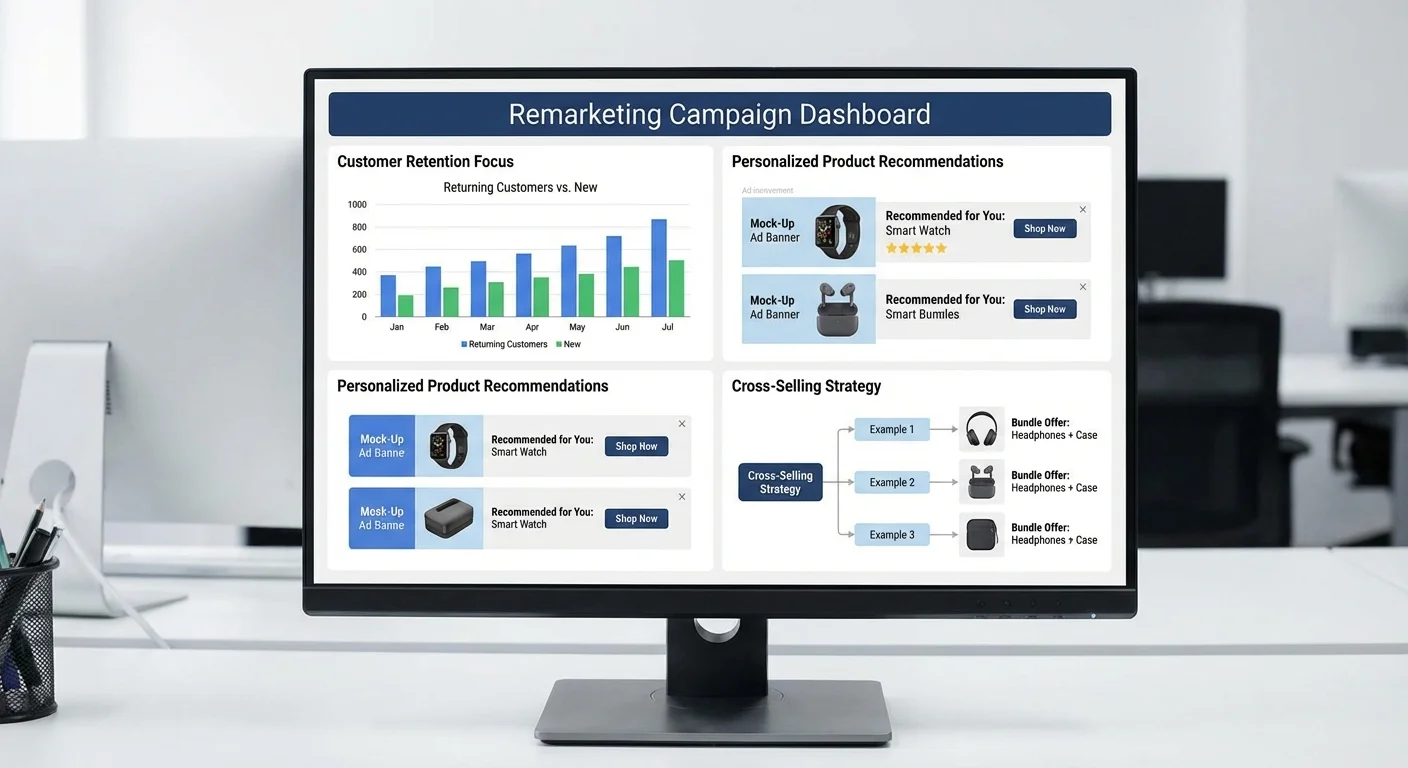
Dynamic remarketing automatically shows visitors the exact products they viewed on your site. Instead of generic ads, they see personalised creative featuring the specific items they browsed. This approach typically increases click-through rates by 3-4x compared to standard remarketing.
Setting up dynamic remarketing requires implementing enhanced e-commerce tracking and creating feed-based campaigns. The extra effort pays off – we’ve seen businesses achieve return on ad spend ratios of 8:1 or higher using dynamic remarketing for cart abandoners.
Sequential Remarketing
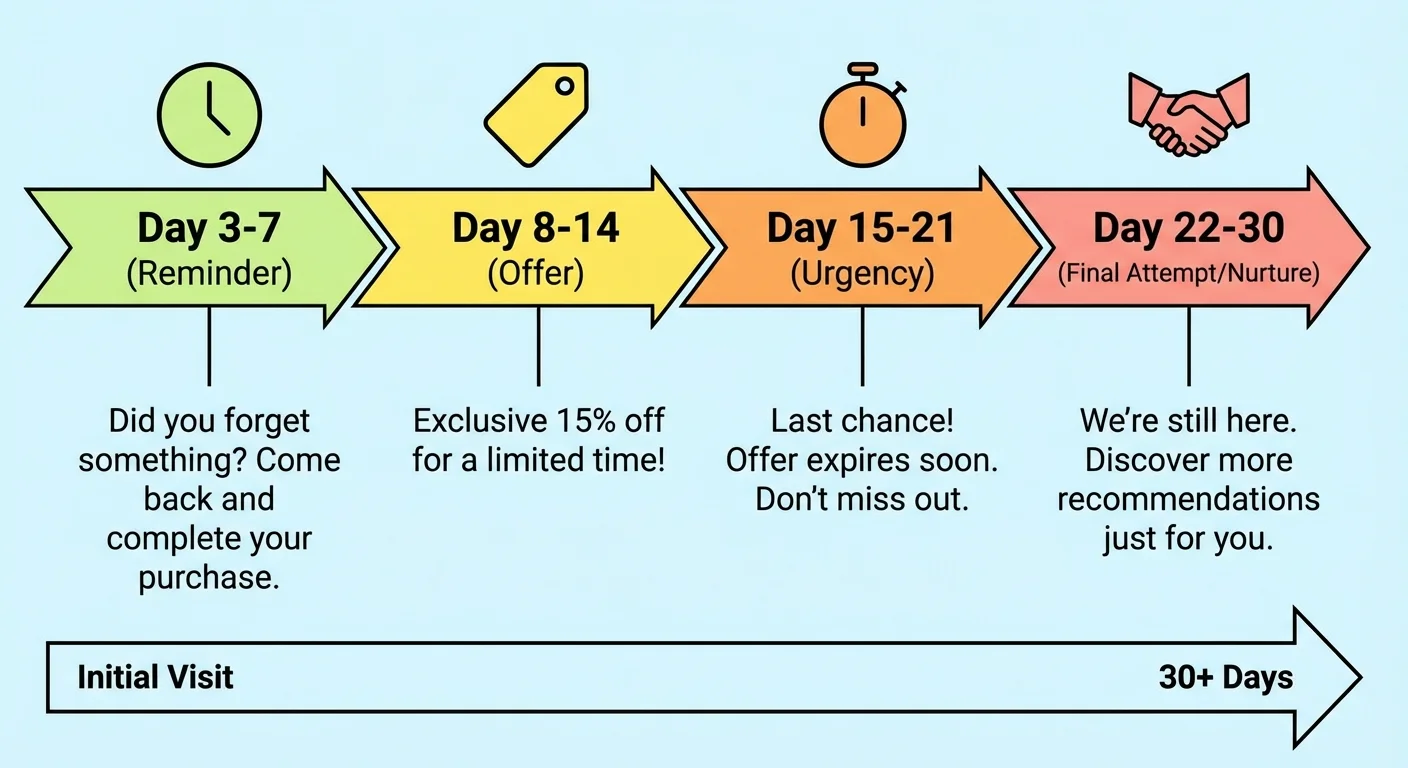
Not every visitor needs the same message at the same time. Sequential remarketing shows different ads based on how recently someone visited your site. Fresh visitors might see brand awareness ads, while people who haven’t returned in weeks get stronger incentive offers.
Create multiple versions of each audience with different membership durations – 3 days, 7 days, 14 days, and 30 days. Then craft message sequences that intensify over time. Start with soft touches and escalate to stronger calls-to-action for users who don’t convert.
Common Remarketing Mistakes to Avoid
Even with the right audiences, poor execution can waste your budget and annoy potential customers. Here are the biggest mistakes we see businesses make:
Frequency Capping Oversights
Nobody wants to see the same ad twenty times a day. Set frequency caps to limit how often individuals see your ads. We recommend starting with 3-5 impressions per day and adjusting based on performance. Higher-intent audiences like cart abandoners can handle more frequent exposure than homepage viewers.
Generic Ad Creative
Using the same ads for all remarketing audiences wastes the power of segmentation. Your homepage viewer ads should differ dramatically from your cart abandoner ads. Match your creative to the audience’s intent level and stage in the buying journey.
Consider working with experienced professionals who understand these nuances. Our proven copywriting strategies can help you craft remarketing ads that convert at industry-leading rates.
Measuring and Optimising Remarketing Performance
Tracking the right metrics ensures your remarketing campaigns improve over time. Focus on these key performance indicators:
- Return on Ad Spend (ROAS): Revenue generated divided by ad spend
- Conversion Rate: Percentage of ad clicks that result in purchases
- Cost Per Acquisition (CPA): How much you spend to acquire each customer
- View-Through Conversions: People who saw your ad but converted later
Different audience segments will perform differently. Cart abandoners typically show the highest conversion rates but smallest audience sizes. Homepage viewers provide broad reach but lower conversion rates. Use this data to allocate budget effectively across your remarketing audiences.
For more insights on tracking digital marketing performance, check our guide on essential marketing metrics that every business should monitor.
Taking Your Remarketing Further
These five audience lists provide a solid foundation, but remarketing possibilities extend far beyond basic website visitors. Consider creating lists for:
- Blog readers who engage with your content
- Video viewers on YouTube
- Social media followers who click through to your site
- Email subscribers who don’t convert
The key is starting simple and expanding gradually. Master the basics before adding complexity. Each new audience should serve a specific purpose and receive tailored messaging that addresses their unique position in your sales funnel.
Remarketing works because it reaches people who’ve already expressed interest in your business. By segmenting these audiences based on their behaviour and crafting relevant messages for each group, you turn missed opportunities into profitable conversions. Start with these five essential lists, and watch your return on ad spend climb steadily upward.
Frequently Asked Questions
How long should remarketing audiences be active?
Most remarketing audiences work best with 30-90 day windows. Cart abandoners should be targeted within 7-14 days while they still remember your products. Homepage visitors can be remarketed to for longer periods since they showed initial interest.
What’s the minimum audience size needed for remarketing?
Google Ads requires at least 100 active users in the past 30 days for Display remarketing, and 1,000 users for Search remarketing. Start building your audiences early, even before launching campaigns.
How much should I budget for remarketing campaigns?
Allocate 20-30% of your total Google Ads budget to remarketing. Cart abandoner audiences typically justify higher bids due to their strong conversion potential, while broader audiences need lower bids to remain profitable.
Can I use remarketing for service-based businesses?
Absolutely. Service businesses can remarket to contact form visitors, quote request pages, or specific service page viewers. Focus on showcasing testimonials, case studies, and consultation offers to move prospects toward booking.
How do I prevent remarketing ads from annoying potential customers?
Set frequency caps of 3-5 impressions per day, exclude recent converters, and vary your ad creative regularly. Use different messages for different time intervals – soft touches initially, stronger offers for users who haven’t returned in weeks.