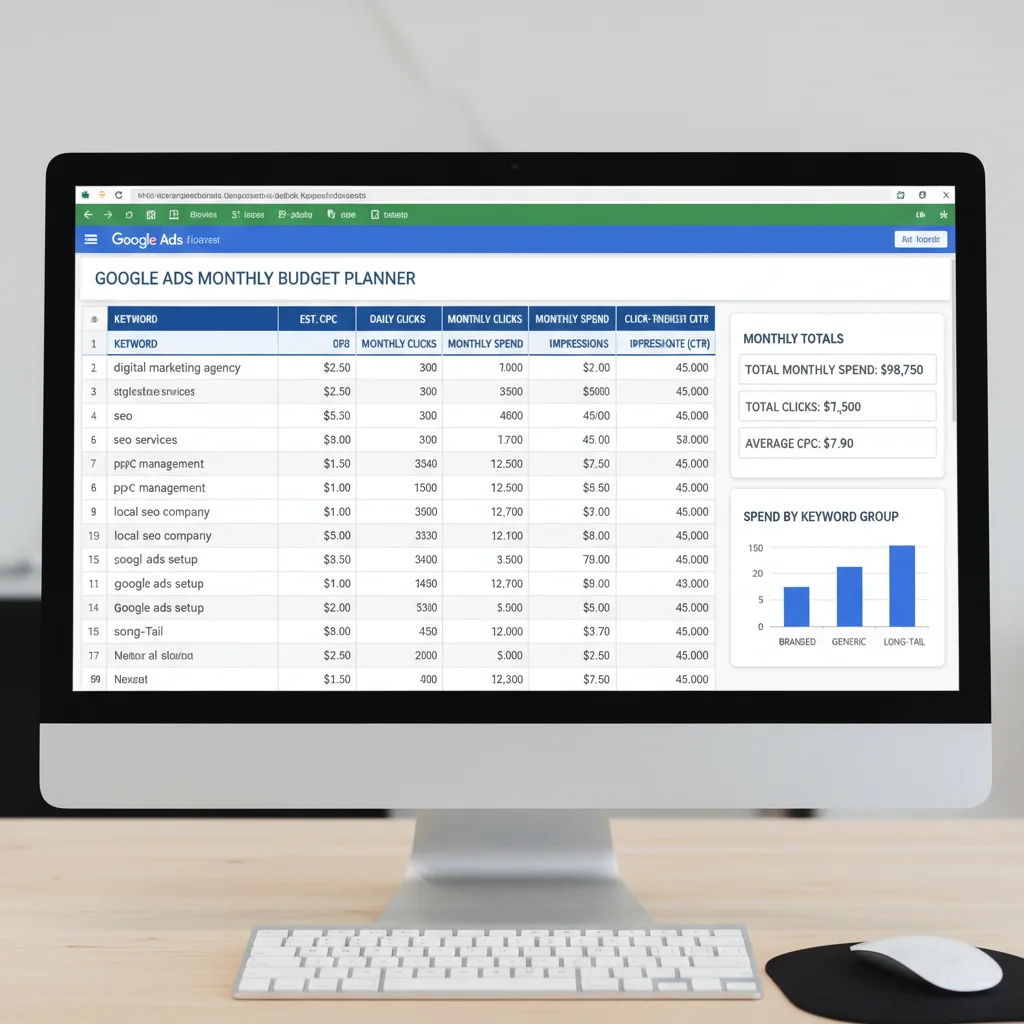

Choosing a starter budget for your first Google Ads campaign can feel overwhelming. You’re staring at a blank campaign setup screen, wondering whether $500 or $5,000 is the right number to begin with.
If you’re working with a PPC agency, budget is one of the first questions they’ll ask. The frustrating part? Most agencies give vague answers like “it depends” without explaining what it depends on. Meanwhile, you’re left trying to make a decision without understanding how Google Ads pricing works or what your competitors are spending.
The good news is that setting a Google Ads budget doesn’t have to be guesswork. With the right approach and some basic maths, you can calculate a sensible starting budget that aligns with your business goals. We’ll show you exactly how to do that, plus share what successful campaigns typically invest.
Where Google Ads Fits in Your Marketing Mix
Before diving into numbers, you need to understand where paid search fits within your overall marketing strategy. Is Google Ads going to be a small test alongside your existing channels, or are you planning to shift significant budget from traditional advertising?
Here’s what the data shows about how businesses allocate their marketing budgets in 2026:
According to research from Econsultancy and NetBooster, paid search now accounts for 24% of the average business’s total marketing budget. This has grown steadily over the past five years, making it the largest digital marketing investment for most companies.
The breakdown across digital channels looks like this:
- Paid search (Google Ads, Bing Ads): 24%
- SEO: 18%
- Social media advertising: 11%
- Display advertising: 11%
- Email marketing: 9%
- Content marketing: 8%
E-commerce businesses invest even more heavily, with 29-57% of their marketing budgets going to paid search. This makes sense – when someone searches “buy running shoes online”, they’re ready to purchase.
But here’s the important part: you don’t need to commit a quarter of your marketing budget right away. Start smaller, prove the channel works for your business, then scale up.
Factors That Influence Your Google Ads Budget
Your ideal budget depends on multiple factors beyond just what you can afford to spend. Understanding these variables helps you set realistic expectations and avoid budget shock.
Annual Revenue and Company Size
Interestingly, companies with the highest revenues dedicate smaller percentages of their marketing budget to Google Ads than smaller businesses. Here’s how it breaks down:
| Annual Revenue | % of Marketing Budget on PPC |
|---|---|
| Under $1M | 35-40% |
| $1M – $10M | 25-30% |
| $10M – $50M | 20-25% |
| Over $50M | 15-20% |
Smaller companies often rely more heavily on paid search because they lack the brand recognition and organic traffic that established businesses enjoy.
Industry Competition
Some industries face brutal competition in Google Ads, driving up costs per click (CPC) significantly. The most expensive industries include:
- Legal services: $50-$200+ per click for terms like “personal injury lawyer”
- Insurance: $30-$50 per click for “car insurance quotes”
- Finance: $25-$45 per click for “business loans”
- Healthcare: $20-$40 per click for “drug rehab centres”
- Home services: $15-$30 per click for “plumber near me”
If you’re in these industries, expect to need a larger budget to achieve meaningful results.
Geographic Targeting
Local campaigns targeting a single city or region cost significantly less than national campaigns. A plumber targeting “emergency plumber Sydney” faces less competition than one targeting “plumbers Australia”.
Customer Value and Sales Cycle
How much is each customer worth to your business? A $10,000 B2B software contract justifies higher CPCs than a $50 e-commerce purchase. Similarly, products with longer research phases (like cars or holidays) require sustained campaign presence over months.
Understanding Your Business Objectives
Google Ads campaigns serve different purposes, and your objective shapes both strategy and budget. Here are the three main campaign types:
Profit-Focused Campaigns
Goal: Generate customers at a profitable cost per acquisition (CPA)
Key metrics: Return on ad spend (ROAS), CPA, conversion value
Budget approach: Conservative, focused on proven keywords
Growth-Focused Campaigns
Goal: Rapid customer acquisition, market share growth
Key metrics: Conversion volume, market penetration
Budget approach: Aggressive, willing to accept higher CPAs initially
Awareness-Focused Campaigns
Goal: Brand visibility, content promotion, thought leadership
Key metrics: Impressions, click-through rate, engagement
Budget approach: Moderate, emphasis on reach over conversions
Most businesses start with profit-focused campaigns, which we’ll use for our budget calculation examples.
How to Calculate Your Initial Google Ads Budget
Now for the practical part. We’ll walk through a proven formula to calculate your starting budget based on your business goals. Grab a calculator (or spreadsheet) and follow along.
Step 1: Calculate Required Traffic
Start with your conversion goal. Let’s say you want 100 new customers per month.
Next, you need your website’s conversion rate. If you’ve never run ads before, check Google Analytics for your organic traffic conversion rate as a baseline. Navigate to Acquisition > Channels > Organic Search and look at the conversion rate column.
Let’s assume your organic conversion rate is 3%. Note that paid traffic often converts slightly lower initially, so be conservative.
Formula: Required traffic = Desired customers ÷ Conversion rate
Example: 100 customers ÷ 0.03 = 3,333 visitors needed
Step 2: Estimate Your Average CPC
Google’s Keyword Planner provides CPC estimates for your keywords. Access it through your Google Ads account (even without active campaigns) and enter your main keywords.
The tool shows estimated bid ranges. For budgeting, use the high end of the range to be safe. If estimates show $1.50-$3.00, plan for $3.00.
Pro tip: Long-tail keywords (“emergency plumber eastern suburbs Sydney”) cost less than broad terms (“plumber”). Build your initial campaign around specific, high-intent keywords.
Step 3: Calculate Total Budget
Formula: Monthly budget = Required traffic × Average CPC
Example: 3,333 visitors × $3.00 = $9,999 monthly budget
Daily budget in Google Ads: $9,999 ÷ 30 = $333 per day
Step 4: Verify Your ROI Projections
Before committing this budget, check that it makes financial sense.
Calculate expected revenue:
Expected revenue = Average order value × New customers
Example: $500 average order × 100 customers = $50,000 revenue
Calculate ROI:
ROI = (Revenue – Ad spend) ÷ Ad spend × 100
Example: ($50,000 – $9,999) ÷ $9,999 × 100 = 400% ROI
This 5:1 return ratio is excellent. Anything above 3:1 is generally considered profitable after accounting for product costs and overheads.
Lead Generation Budget Calculations
B2B and service businesses often generate leads rather than direct sales. The calculation needs an extra step – your lead-to-customer conversion rate.
If your sales team converts 25% of leads into customers, and you want 20 new customers monthly:
- Required leads: 20 ÷ 0.25 = 80 leads
- Website conversion rate: 5% (form fills)
- Required traffic: 80 ÷ 0.05 = 1,600 visitors
- Average CPC: $5.00
- Monthly budget: 1,600 × $5.00 = $8,000
Understanding Performance Benchmarks
What results should you expect from your budget? Here are industry benchmarks to gauge campaign performance:
Conversion Rate Benchmarks
- Poor: Below 1%
- Average: 2-3%
- Good: 3-5%
- Excellent: Above 5%
The top 10% of advertisers achieve conversion rates above 11%. These are typically businesses with exceptional landing pages, offers, and campaign optimisation.
ROI Expectations
A healthy Google Ads campaign should achieve:
- Minimum viable: 2:1 ratio ($2 revenue per $1 spent)
- Good performance: 4:1 ratio
- Excellent performance: 8:1 ratio or higher
Remember these ratios are revenue-based. After product costs and overheads, your actual profit margins will be lower.
Budget Distribution Strategies
Once you’ve set your total budget, you need to allocate it effectively across campaigns and keywords. Many advertisers make the mistake of chasing high-volume, expensive keywords immediately.
The Keyword Funnel Approach
Keywords exist on a spectrum from broad research terms to specific purchase intent:
- Top of funnel: “CRM software” (research mode, expensive, low conversion rate)
- Middle of funnel: “Salesforce vs HubSpot comparison” (evaluating options)
- Bottom of funnel: “buy HubSpot CRM pricing” (ready to purchase)
Start by allocating 60-70% of your budget to bottom-of-funnel keywords. These convert better and cost less, giving you profitable results while you learn the platform.
Recommended Budget Split
Here’s how successful advertisers typically distribute their budgets:
- High-intent keywords: 35-40%
- Brand keywords: 20-25%
- Competitor keywords: 15-20%
- Research keywords: 10-15%
- Testing/experimentation: 5-10%
As you gather data, shift more budget toward your best performers. The top 20% of keywords typically drive 80% of conversions.
Small Business Budget Considerations
Small businesses often worry they can’t compete with big-budget advertisers. The truth? You can achieve profitable results with $1,000-$2,000 monthly budgets if you’re strategic.
Research from Search Engine Land found that small businesses waste an average of 25% of their PPC budgets. The culprit isn’t budget size – it’s poor campaign management. Common mistakes include:
- No negative keyword lists (paying for irrelevant clicks)
- Broad match keywords without oversight
- Poor landing pages that don’t convert
- Set-and-forget campaign management
- Targeting too broadly instead of focusing locally
Small Budget Success Tactics
With limited budgets, these strategies maximise impact:
- Dayparting: Run ads only during business hours or peak conversion times
- Geographic limits: Target specific suburbs or postcodes, not entire cities
- Device targeting: Focus budget on best-performing devices (often mobile for local services)
- Exact match keywords: More control over what triggers your ads
- Call-only campaigns: Skip the website for immediate phone enquiries
When to Increase Your Budget
Your initial budget isn’t permanent. Successful campaigns evolve based on performance data. Consider increasing investment when:
- You’re achieving consistent positive ROI (3:1 or better)
- Search impression share shows you’re missing opportunities due to budget
- Quality Scores improve, reducing your CPCs
- You’ve identified winning keywords and ad copy
- Your conversion rate exceeds industry benchmarks
Scale gradually – increase budgets by 20-30% monthly rather than doubling overnight. This maintains performance while you grow.
Common Budget Mistakes to Avoid
After managing hundreds of campaigns, we’ve seen these budget mistakes repeatedly:
Starting Too Big
Excitement leads some businesses to launch with massive budgets before understanding the platform. Start conservatively, prove the model works, then scale.
Spreading Too Thin
Running 10 campaigns with $100 each performs worse than 2 campaigns with $500 each. Focus your budget for meaningful data and results.
Ignoring Seasonality
Many businesses have peak seasons. Plumbers see spikes during winter, accountants during tax time. Plan budget increases for high-demand periods.
Not Accounting for Testing
Reserve 10-20% of your budget for testing new keywords, audiences, and ad formats. Innovation drives long-term performance improvement.
Advanced Budget Optimisation
Once your campaigns are running, these tactics help squeeze maximum value from every dollar:
Automated Bidding Strategies
Google’s machine learning can optimise bids better than manual management for most advertisers. Target CPA or Target ROAS bidding maintains profitability while maximising volume.
Learn more about smart bidding best practices in our detailed guide.
Dayparting Analysis
Review your hour-of-day and day-of-week performance reports. You might discover that Tuesdays at 2 PM convert at 8% while Saturdays at 8 PM convert at 1%. Shift budget accordingly.
Audience Layering
Remarketing audiences often convert at 2-3x the rate of cold traffic. Allocate separate budgets for remarketing campaigns to capitalise on warm prospects.
Our guide to building remarketing audiences shows advanced tactics for audience segmentation.
Next Steps: Launching Your Campaign
You now have the framework to calculate a sensible Google Ads budget. Here’s your action plan:
- Calculate your required traffic based on conversion goals
- Research CPCs for your target keywords
- Set an initial budget using our formulas
- Verify projected ROI makes business sense
- Start with bottom-of-funnel keywords
- Monitor daily for the first two weeks
- Adjust based on actual performance data
Remember that your first month is about gathering data, not perfection. Expect to refine your targeting, keywords, and budgets as you learn what works for your specific business.
The businesses succeeding with Google Ads aren’t necessarily those with the biggest budgets – they’re the ones who start smart, test systematically, and scale based on data. Your calculated starter budget gives you that foundation.
Need help setting up and managing your Google Ads campaigns? PWD’s PPC experts can audit your account, optimise your budget allocation, and maximise your return on ad spend. We’ve managed millions in ad spend across every industry – let us put that experience to work for your business.
Key Takeaways for Budget Planning
- Calculate budget based on conversion goals, not arbitrary numbers
- Start with high-intent keywords for better initial ROI
- Small budgets can work with focused targeting
- Plan for 2-3 months of testing before expecting consistent results
- Reserve 10-20% for experimentation and growth
- Scale gradually based on proven performance
Setting your Google Ads budget doesn’t have to be intimidating. Use data, start conservatively, and let performance guide your investment levels. The formulas we’ve shared remove the guesswork and give you a solid starting point for PPC success.
What’s the minimum budget needed to see results from Google Ads?
Most businesses can see meaningful results with $1,000-$2,000 per month, though this varies by industry. High-competition sectors like legal or insurance may need $3,000-$5,000 monthly minimums.
How long before I see positive ROI from Google Ads?
Expect 2-3 months to optimise campaigns for consistent positive ROI. Month one is data gathering, month two is refinement, and by month three most campaigns hit their stride.
Should I use daily or monthly budgets in Google Ads?
Google Ads uses daily budgets, but plan monthly. Divide your monthly budget by 30.4 for your daily amount. Google may spend up to 2x your daily budget on high-traffic days but won’t exceed the monthly total.
What percentage of revenue should go to Google Ads?
Successful e-commerce businesses typically invest 5-10% of revenue in Google Ads. B2B companies often spend 7-15% of revenue, while local service businesses average 10-20%.
How do I know if my Google Ads budget is too low?
Check your Search Impression Share metric. If it’s below 50% due to budget, you’re missing potential clicks. Also, if you can’t generate 15-20 clicks daily, you’ll struggle to gather meaningful data.
Can I pause Google Ads campaigns to save budget?
Yes, but frequent pausing hurts performance. Google’s algorithm needs consistent data to optimise. Instead of pausing, reduce budgets during slow periods while maintaining campaign momentum.
Frequently Asked Questions
What’s the minimum budget needed to see results from Google Ads?
Most businesses can see meaningful results with $1,000-$2,000 per month, though this varies by industry. High-competition sectors like legal or insurance may need $3,000-$5,000 monthly minimums.
How long before I see positive ROI from Google Ads?
Expect 2-3 months to optimise campaigns for consistent positive ROI. Month one is data gathering, month two is refinement, and by month three most campaigns hit their stride.
Should I use daily or monthly budgets in Google Ads?
Google Ads uses daily budgets, but plan monthly. Divide your monthly budget by 30.4 for your daily amount. Google may spend up to 2x your daily budget on high-traffic days but won’t exceed the monthly total.
What percentage of revenue should go to Google Ads?
Successful e-commerce businesses typically invest 5-10% of revenue in Google Ads. B2B companies often spend 7-15% of revenue, while local service businesses average 10-20%.
How do I know if my Google Ads budget is too low?
Check your Search Impression Share metric. If it’s below 50% due to budget, you’re missing potential clicks. Also, if you can’t generate 15-20 clicks daily, you’ll struggle to gather meaningful data.
Can I pause Google Ads campaigns to save budget?
Yes, but frequent pausing hurts performance. Google’s algorithm needs consistent data to optimise. Instead of pausing, reduce budgets during slow periods while maintaining campaign momentum.