Why Site Speed Matters More Than Ever in 2026

If your website takes more than three seconds to load, your customers are already gone. You might have the best product in your industry, a stunning website design, and a brilliant marketing strategy. None of it matters if your server leaves users staring at a blank screen.
Slow websites are no longer just an IT annoyance. They are a massive leak in your sales funnel. Every extra second a user waits is actively costing you revenue and handing your hard-earned traffic straight to your competitors.
We need to treat website performance as a core business requirement. Let us look at exactly why site speed is directly tied to your bottom line, how it impacts your visibility on Google, and what you actually need to do to fix it.
The Direct Link Between Speed, Conversions, and Revenue
When we talk about webpage speed, time literally is money. Research consistently shows that a delay of just one single second in page load time can cost your business 7% of its conversions. For an e-commerce store turning over $100,000 a month, that one second is a $7,000 monthly penalty.
The inverse is also true. For every 100 milliseconds you can shave off your load time, you can expect to see roughly a 1% increase in revenue. This is not just theoretical math; some of the biggest brands in the world have proven it through real-world case studies.
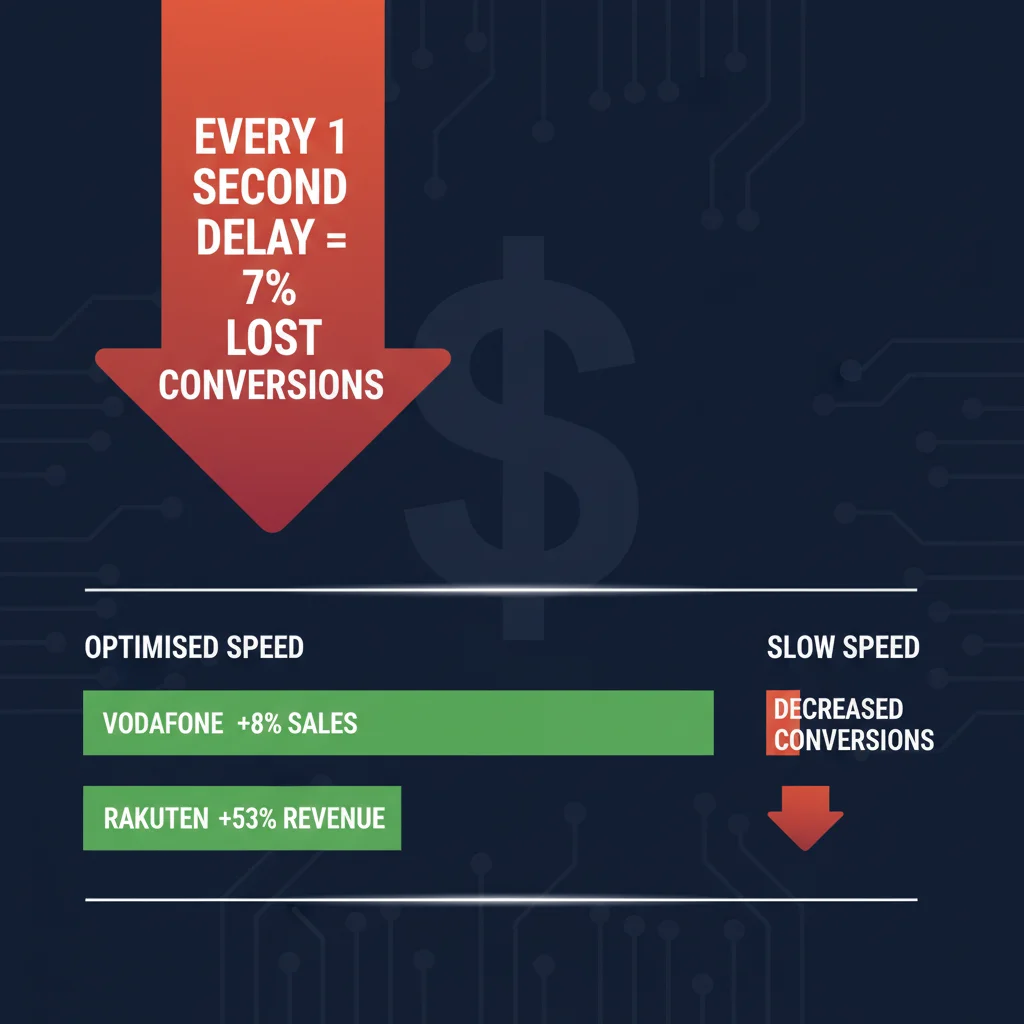
Vodafone managed to improve their Largest Contentful Paint (a key speed metric) by 31%, which directly resulted in an 8% increase in overall sales. Rakuten 24 invested heavily in their site performance and saw their revenue per visitor jump by a staggering 53.37%, alongside a 33.13% boost in their conversion rate.
Even small improvements create massive ripples. The travel company redBus optimized how quickly their site responded to user interactions and saw a 7% increase in sales as a result. Swappi reduced their load time by 23%, which triggered a 42% increase in mobile revenue and a 10% jump in mobile conversions.
The cost of ignoring this is steep. The BBC found that for every additional second their site took to load, they lost an additional 10% of their total users. Your website speed dictates your conversion rate, plain and simple.
The Psychology of Waiting (And Why Customers Hate It)
Humans are more impatient now than they have ever been. Years ago, the standard benchmark for web performance was the “eight-second rule”. Today, that window of tolerance has slammed shut to just three seconds. For mobile users, it is even tighter, with studies showing they start abandoning sites after just two seconds of waiting.
There is a genuine physiological reason for this abandonment. A consumer study revealed that the stress response triggered by waiting for a slow web page to load is comparable to the anxiety of watching a horror movie or taking a complex math test. In fact, it causes more psychological stress than standing in a slow-moving checkout line at a retail store.
When a page begins to load, there is a period where users are just staring at an empty screen. Until your content appears, the user experience is essentially zero. If a user feels frustrated by a slow, clunky experience, they will hit the back button and find a competitor.
This creates a brutal bounce rate. The bounce rate represents the percentage of users who leave your website after viewing only one page. Every time a frustrated user abandons your slow site, you lose that potential customer forever.
Mobile Performance: Real-World Conditions vs. Lab Tests
If you are testing your website speed on a high-end desktop computer connected to your office’s blazing-fast fibre network, you are lying to yourself. That is not how your customers are experiencing your brand. The majority of e-commerce purchases are now made on mobile devices.
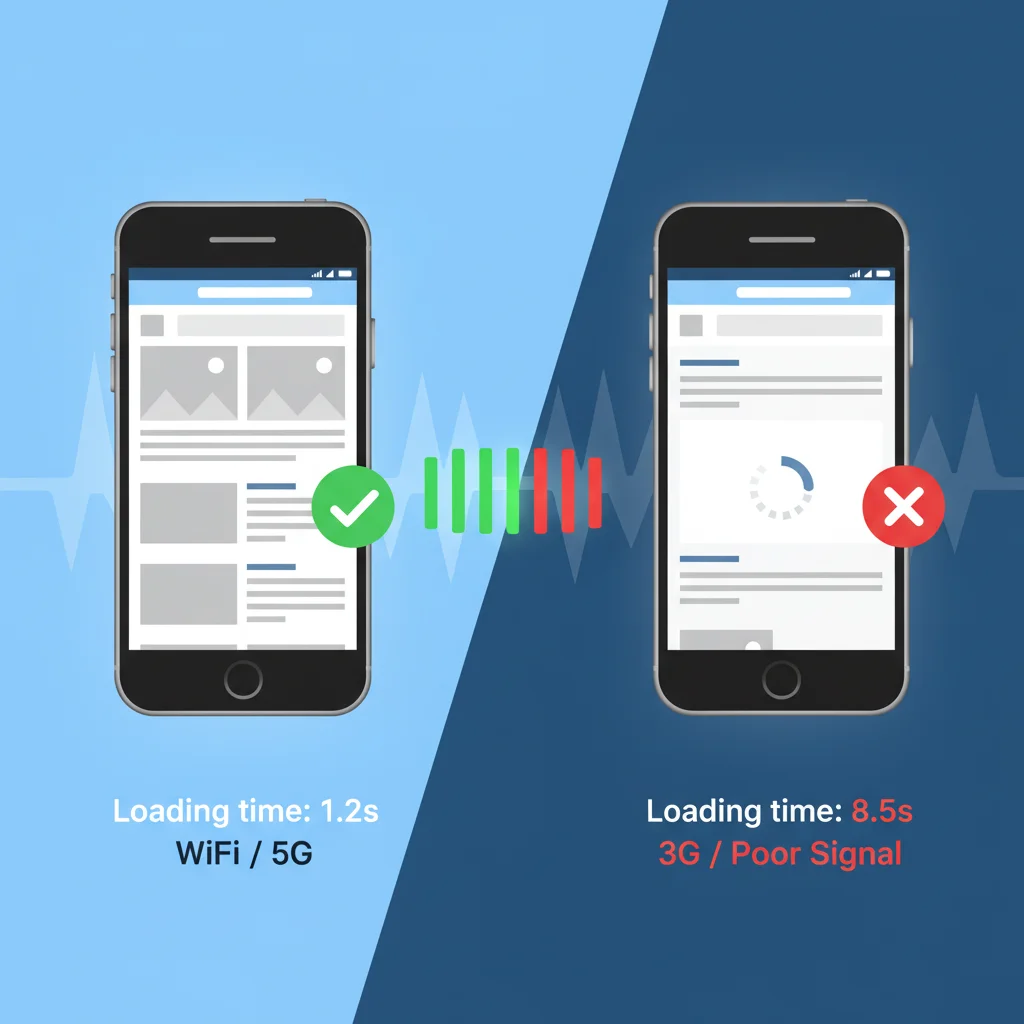
Mobile devices present entirely different challenges. Smartphones have limited CPU power and memory compared to desktop machines. This means they struggle far more with rendering heavy, complex web pages.
Network conditions also fluctuate wildly in the real world. A user might be browsing your site on a train using a patchy 3G or 4G connection, far away from a stable WiFi network. Under these adverse conditions, a heavy website will stall completely, eating up the user’s data plan and their patience.
When developers run speed tests, they often emulate these throttled 3G or 4G connections to see how the site actually performs in the wild. A site that feels fast in a controlled lab environment can often completely fall apart when subjected to the realities of a mobile network. Designing a mobile-friendly site means testing under real-world conditions.
SEO and Google’s Core Web Vitals
If people cannot find your site in the first place, your speed optimisation efforts are completely useless. Google has explicitly used site speed as a ranking factor since 2010. However, the rules of the game have evolved significantly over the last few years.
Google now uses mobile-first indexing, meaning they predominantly evaluate the mobile version of your website to determine your rankings across all devices. If your mobile site is sluggish, you take a ranking hit on both mobile and desktop.
To make this measurable, Google rolled out a set of user-centric performance metrics known as Core Web Vitals. These are not just arbitrary technical numbers; they measure the actual experience a user has on your site.
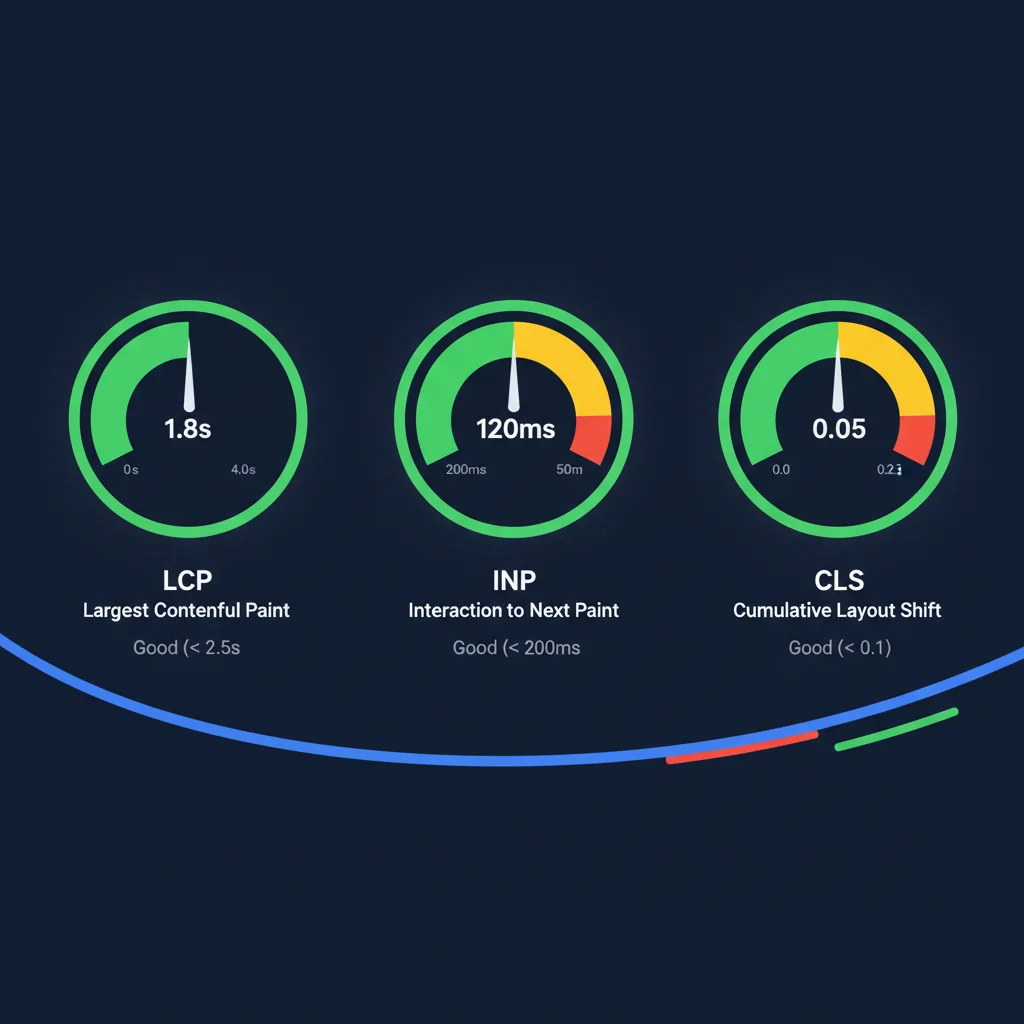
Largest Contentful Paint (LCP)
This measures how long it takes for the primary, main piece of content on your screen to load. To keep Google happy, your LCP needs to be under 2.5 seconds.
Interaction to Next Paint (INP)
This metric tracks how quickly your website responds when a user actually clicks or interacts with something. A fast, snappy site should respond in under 200 milliseconds. Anything slower feels like the site is lagging or broken.
Cumulative Layout Shift (CLS)
Have you ever gone to click a button on a loading page, only for the layout to jump, causing you to click the wrong thing? That is what CLS measures — the visual stability of your page. You want a CLS score of under 0.1 to prevent frustrating your users.
The Indirect SEO Impact
Speed affects your SEO directly through the algorithm, but it also hits you indirectly. Google tracks user behaviour metrics like bounce rate, time on site, and pages visited per session. When a slow site forces users to immediately bounce back to the search results, it signals to Google that your site is not providing a valuable answer. Your rankings will drop as a result.
What Is Actually Slowing Your Site Down?
Understanding how to fix your site means understanding what breaks it in the first place. When a user types in your URL, their browser requests information from your server. The server then connects to a database, pulls down HTML files, style sheets, images, and JavaScript, and begins to render the page.
This process is visualized in speed testing tools as a “waterfall chart,” which shows every single asset loading in sequential order. If one file gets stuck, it blocks the rest of the page from loading.
The most common culprits are massive, unoptimised images. Another massive issue is reliance on third-party scripts. Every time you install a Facebook Pixel, Google Analytics, Hotjar, or a live chat widget, your site has to make a round-trip request to an entirely different server. This piles up the amount of background processing required before a user can even see your content.
Physical distance also plays a massive role in latency. If your web server is sitting in a data centre in Ohio, but your customer is browsing from Perth, the data literally has to travel across the globe via fiber optic cables. That physical distance creates unavoidable delays.
How to Fix It: Practical Steps for Businesses
You cannot fix what you do not measure. The first step is to establish a baseline using tools like Google PageSpeed Insights or DebugBear to see exactly where your bottlenecks are. Once you have that data, here is how you fix the core issues.
Implement a Content Delivery Network (CDN)

A CDN completely solves the problem of physical distance and latency. Networks like Cloudflare take copies of your website’s files and cache them on hundreds of “edge servers” located all around the world.
When a user in London requests your Perth-based site, the CDN serves the site from a server in London. This dramatically lowers your Time To First Byte (TTFB). A highly optimized CDN setup can drop your TTFB down to 50 or 100 milliseconds, allowing the page to begin rendering almost instantly.
Optimise and Resize Your Images
Photographers and content editors often upload massive 15-megabyte images with enormous dimensions. You need to resize images to their maximum display width before they even hit the server.
From there, you should use modern compression tools or plugins to crush the file size without losing visual quality. Serving modern formats via responsive imagery ensures a mobile user only downloads a small version of the image, rather than a massive desktop banner.
Clean Up Code and Delay Third-Party Scripts
You do not need your live chat widget to load before your main headline does. By delaying non-critical JavaScript, you push those heavy third-party scripts to the bottom of the waterfall chart.
This ensures that the visual content of the page renders first, completely uninterrupted. Once the page has finished loading and the user is happily reading, those background tracking scripts can quietly load in without ruining the experience. You can also strip out unused CSS and ensure heavy plugins only load on the specific pages where they are actually needed.
Implement Aggressive Caching
Caching stops your server from having to rebuild your web page from scratch every single time a new user visits. Page caching stores the final HTML version of your site, allowing the server to immediately hand it over to the browser. Combined with a good CDN, caching removes massive amounts of processing strain from your server.
Upgrade Your Hosting Infrastructure
You cannot put a Formula 1 engine in a beat-up old hatchback. If you are running your business on a cheap, shared hosting plan, no amount of optimisation will save you. Investing in high-quality, managed hosting or utilizing modern server infrastructure gives your site the processing power it needs to handle traffic spikes smoothly. Choosing the right web hosting company is a critical first step.
How PWD Can Make Your Site Fly
Speed optimisation is deeply technical, and tinkering with server configurations or delaying JavaScript can easily break your website if you don’t know what you’re doing. That is where we come in.
At PWD, we build blazingly fast WordPress websites engineered for performance from day one. For businesses requiring peak performance, we are increasingly developing headless WordPress solutions using Next.js, separating the backend content management from a lightning-fast frontend delivery.
We integrate Cloudflare as standard to aggressively cache your assets globally, and our ISO 27001 certification ensures your data is handled with the highest tier of international security standards. We do not just make sites look good; we build infrastructure that converts.
Ready for a Faster Website?
Stop letting a slow website throttle your revenue and hand your hard-earned SEO rankings over to your competitors. It is time to find out exactly what is holding your website back.
Contact PWD today for a free site speed audit. We will look under the hood of your website, identify the exact bottlenecks killing your conversions, and give you a clear roadmap to make your site faster, leaner, and more profitable.
Frequently Asked Questions
How much revenue am I losing due to a slow website?
Research shows that every additional second of page load time costs roughly 7% of conversions. For an e-commerce site doing $100,000 per month, a one-second delay equals $7,000 in lost revenue. Companies like Vodafone and Rakuten have proven that speed improvements directly increase sales by 8-53%.
What are Google’s Core Web Vitals and why do they matter?
Core Web Vitals are three metrics Google uses to measure your site’s real-world user experience: Largest Contentful Paint (LCP) measures loading speed, Interaction to Next Paint (INP) measures responsiveness, and Cumulative Layout Shift (CLS) measures visual stability. Google uses these as direct ranking factors.
What is the ideal page load time for a website in 2026?
Your website should load in under 2.5 seconds for the main content (LCP) and respond to interactions in under 200 milliseconds (INP). Most users will abandon a site that takes longer than 3 seconds to load, with mobile users being even less patient at around 2 seconds.
How does a Content Delivery Network (CDN) improve website speed?
A CDN caches copies of your website files on servers around the world. Instead of every visitor requesting data from your origin server (which may be thousands of kilometres away), they get served from the nearest edge server. This can reduce your Time To First Byte from 800ms to under 100ms.
Does mobile page speed affect my desktop search rankings?
Yes. Google uses mobile-first indexing, meaning they primarily evaluate the mobile version of your site for ranking decisions across all devices. A slow mobile site will hurt your desktop rankings as well, making mobile speed optimisation essential for overall search visibility.
Can I improve website speed myself or do I need a developer?
Basic improvements like compressing images and removing unused plugins can be done yourself. However, advanced optimisations like server-side caching configuration, code minification, CDN setup, and JavaScript deferral require technical expertise. Incorrect changes can break your site, so professional help is recommended for significant speed improvements.