
The Best Free Keyword Research Tools in 2026

Finding the right keywords without breaking the budget is a challenge every business faces. While premium SEO tools offer powerful features, they can cost hundreds of dollars monthly – making them tough to justify for small businesses or those just starting their SEO journey.
The good news? You don’t need expensive software to uncover valuable keywords for your content strategy. Free keyword research tools can deliver solid insights and help you build a strong foundation for your SEO strategy. We’ve tested dozens of free tools and compiled this list of seven that actually deliver results.
For more detail, see our guide on how to do SEO keyword research.
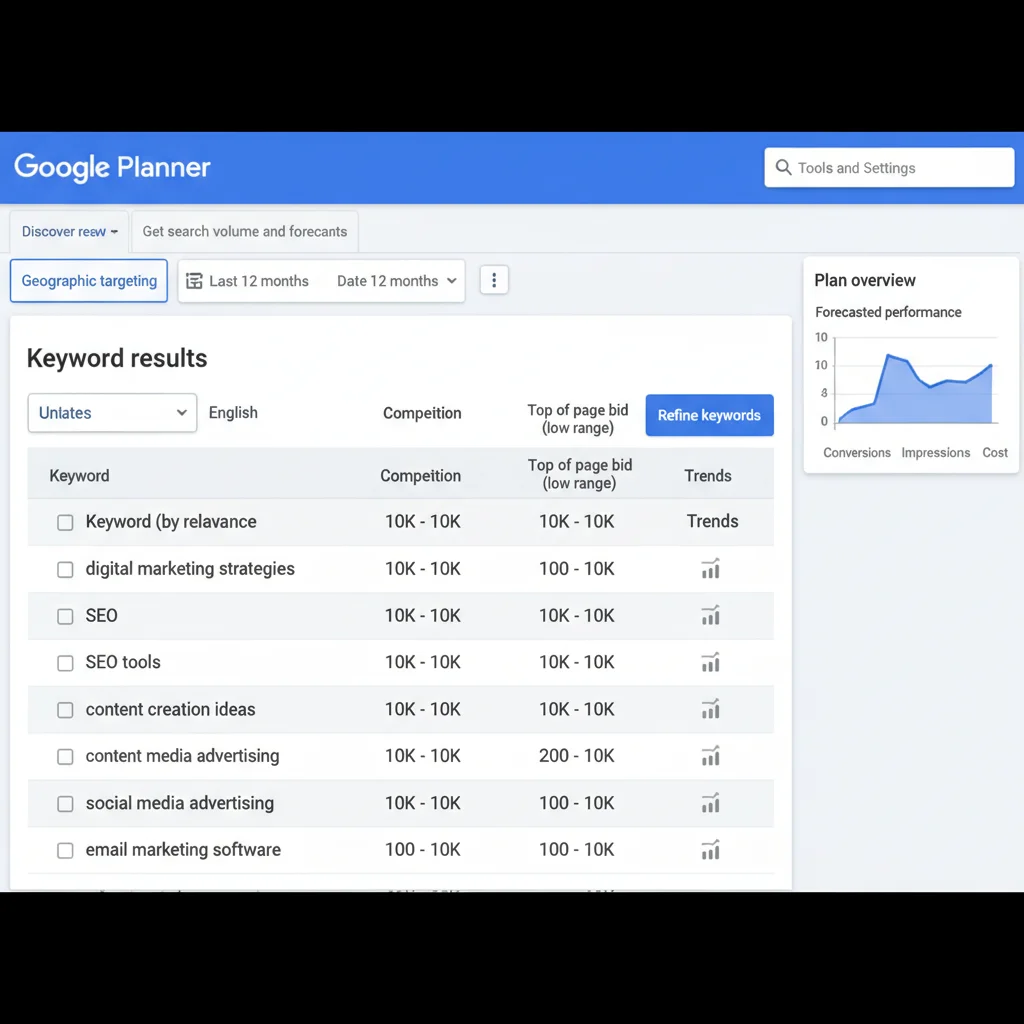
 Free keyword research tools comparison dashboard showing search volumes and competition data” width=”1024″ height=”1024″ />
Why Free Keyword Research Tools Matter for Your SEO Success
Before diving into our tool recommendations, let’s address why keyword research matters. Every piece of content you create should target specific search terms your audience uses. Without this focus, you’re essentially publishing content and hoping someone finds it.
Free tools won’t give you the same depth as premium platforms, but they provide enough data to make informed decisions. They’re perfect for validating content ideas, discovering new opportunities, and understanding search intent without the monthly subscription fees.
Top Free Keyword Research Tools That Deliver Results
1. Keywords Everywhere
Keywords Everywhere transforms any search into a keyword research session. This browser extension displays search volume, cost-per-click data, and competition metrics directly on Google’s search results page.
What sets this tool apart is its seamless integration with your research workflow. Instead of switching between tabs, you get instant keyword metrics while browsing. The related keywords feature helps you discover variations you might have missed.
Best features:
- Instant keyword data on search results pages
- CSV export functionality for easy data management
- “People also search for” suggestions
- Works across multiple search engines
Limitations:
- No location-specific data filtering
- Limited to Chrome and Firefox browsers
- Requires credits for data (though they’re affordable)
2. Google Keyword Planner
Google Keyword Planner remains the gold standard for free keyword research. Since the data comes directly from Google, you’re getting the most accurate search volume information available.
The tool excels at showing seasonal trends and providing bid estimates if you’re planning Google Ads campaigns. The interface is clean and straightforward, making it accessible for beginners while providing enough detail for experienced marketers.
Best features:
- Data sourced directly from Google
- Historical search volume trends
- Geographic and language targeting
- Integration with Google Ads campaigns
Limitations:
- Requires a Google Ads account
- Search volume ranges instead of exact numbers
- Limited competitor analysis features
3. AdWord & SEO Keyword Permutation Generator
Sometimes the biggest challenge isn’t finding search volumes – it’s discovering new keyword variations. The AdWord & SEO Keyword Permutation Generator solves this by creating every possible combination of your seed keywords.
Here’s how it works: input your core terms into three separate lists, and the tool generates hundreds of keyword combinations. For a local business, you might combine service terms, location modifiers, and intent keywords to create a complete keyword universe.
Pro tip: Start with 3-5 keywords per list. Adding more terms creates exponentially more combinations – which can be overwhelming to sort through.
Best features:
- Generates hundreds of keyword variations quickly
- Perfect for local SEO campaigns
- Exports results for further analysis
- Completely free with no registration
4. Soovle
Soovle expands your keyword research beyond Google by pulling autocomplete suggestions from multiple platforms simultaneously. This multi-platform approach reveals opportunities you’d miss by focusing on Google alone.
The tool displays suggestions from Google, YouTube, Amazon, Wikipedia, Yahoo, and Bing in real-time. This diversity is particularly valuable for content creators who need ideas for different content formats and platforms.
Best features:
- Multi-platform keyword suggestions
- Real-time autocomplete data
- Great for video and e-commerce content
- Simple, distraction-free interface
Limitations:
- No search volume data
- Limited filtering options
- Can’t target specific locations
5. Wordtracker Scout
Understanding what keywords your competitors target is just as important as finding new opportunities. Wordtracker Scout makes competitor analysis simple by analysing any webpage and revealing the keywords it’s optimised for.
Install the Chrome extension, visit any competitor’s page, and Scout generates a detailed report of their target keywords. This insight helps you identify content gaps and opportunities to outrank competitors.

Best features:
- Instant competitor keyword analysis
- Works on any webpage
- Reveals keyword density and usage patterns
- Helps identify content opportunities
Limitations:
- Chrome-only extension
- Limited daily searches on free plan
- No historical data
6. Keyword Shitter
Despite its provocative name, Keyword Shitter is a powerful tool for generating massive lists of keyword ideas quickly. When you’re stuck for content ideas or need to exhaust all possible keyword variations, this tool delivers.
Enter your seed keyword and watch the tool generate hundreds of related terms. The positive and negative filters help you refine results – add “free” as a positive filter to focus on free-related keywords, or add “expensive” as a negative filter to exclude costly terms.
Best features:
- Generates massive keyword lists quickly
- Positive and negative filtering
- Export functionality
- Great for content brainstorming
Limitations:
- No search volume or difficulty data
- Results can be overwhelming
- Requires manual filtering and validation
7. SEMrush Free Version
SEMrush offers the most feature-rich free keyword research experience available. While you’re limited to 10 searches per day, each search provides the same detailed data as their premium plans.
The free version includes keyword analytics, competitor research, domain analysis, and even access to their SEO Writing Assistant. For businesses doing occasional keyword research, these 10 daily searches often provide enough data to make informed decisions.
Best features:
- Premium-level data accuracy
- Complete SEO toolkit access
- Detailed competitor analysis
- Keyword difficulty scores
- Content optimisation suggestions
Limitations:
- Only 10 searches per day
- Registration required
- Some advanced features locked behind paywall
How to Choose the Right Free Tool for Your Needs
Different tools serve different purposes in your keyword research workflow. Here’s how to match tools to your specific needs:
For quick daily research: Use Keywords Everywhere for instant insights while browsing. It integrates seamlessly with your normal search behaviour.
For accurate search volumes: Google Keyword Planner provides the most reliable data, especially for planning paid advertising campaigns.
For content brainstorming: Combine Soovle and Keyword Shitter to generate hundreds of content ideas quickly.
For competitor analysis: Wordtracker Scout reveals what keywords your competitors are targeting.
For detailed analysis: Use your daily SEMrush searches for high-priority keywords where you need complete data.

Creating an Effective Keyword Research Workflow
The most effective approach combines multiple free tools in a structured workflow. Start broad with idea generation tools, then narrow down to specific, actionable keywords.
Begin with Soovle or Keyword Shitter to generate a large list of potential keywords. Export these lists and remove obviously irrelevant terms. Next, use Google Keyword Planner to validate search volumes for your shortlisted keywords.
Finally, analyse your top competitors with Wordtracker Scout to identify gaps in your keyword targeting. This three-step process ensures you’re targeting keywords with proven search demand while avoiding oversaturated terms.
Remember to consider search intent alongside search volume. A keyword with 1,000 monthly searches from people ready to buy is more valuable than 10,000 searches from casual browsers. Avoid common SEO mistakes by focusing on intent alignment over pure volume.
When to Consider Upgrading to Paid Tools
Free tools provide excellent value for small businesses and new websites. However, certain situations justify investing in premium keyword research platforms:
- High search volumes: If you need to research hundreds of keywords weekly
- Competitive markets: When detailed competitor analysis becomes essential
- Multiple locations: For businesses targeting multiple geographic markets
- Advanced metrics: When keyword difficulty and SERP analysis drive decisions
Free tools work well for businesses publishing 4-8 pieces of content monthly. Beyond that volume, the time saved by premium tools often justifies their cost.
The good news is that mastering free tools teaches you the fundamentals needed to maximise premium platforms later. Every SEO metric and KPI you track starts with solid keyword research foundations.

Free keyword research tools democratise SEO by making essential data accessible to every business. While they may lack some advanced features of premium platforms, they provide enough insight to build effective content strategies and improve search rankings.
The key is using multiple tools together and understanding each tool’s strengths. Start with these free options, develop your keyword research skills, and invest in paid tools when your content volume and business needs justify the expense.
Ready to take your SEO strategy to the next level? Contact our team to learn how professional SEO services can amplify your keyword research efforts and drive more qualified traffic to your website.
Frequently Asked Questions
Are free keyword research tools accurate?
Free tools provide reasonably accurate data, especially Google Keyword Planner which sources data directly from Google. However, they may show search volume ranges rather than exact numbers and lack some advanced metrics found in paid tools.
How many keywords should I research for one piece of content?
Focus on one primary keyword and 3-5 related secondary keywords per piece of content. This approach allows you to create focused, relevant content without keyword stuffing.
Can I do effective SEO using only free keyword tools?
Yes, free tools provide enough data for effective SEO, especially for small businesses and new websites. Many successful websites have built their SEO strategies entirely on free tools.
What’s the difference between search volume and keyword difficulty?
Search volume shows how many people search for a keyword monthly, while keyword difficulty indicates how hard it is to rank for that term. High volume doesn’t always mean easy ranking opportunities.
Should I target high-volume or low-competition keywords?
Target a mix of both. High-volume keywords drive more traffic but are harder to rank for. Low-competition keywords are easier to rank for and can provide quick wins while building domain authority.
How often should I do keyword research?
Conduct keyword research before creating any new content, and review your keyword strategy quarterly. Search trends change, and regular research ensures your content remains relevant and competitive.