Why WordPress Is Still an Excellent Platform for SEO in 2026

WordPress powers over 43% of all websites on the internet today. What started as a simple blogging platform has evolved into the world’s most popular content management system. But here’s what many business owners don’t realise: WordPress isn’t just user-friendly – it’s built from the ground up with search engine optimisation in mind.
At PWD Digital Agency, we’ve worked with hundreds of WordPress sites since 2007. Time and again, we see businesses achieve better rankings faster with WordPress than any other platform. Why? Because WordPress removes the technical barriers that often hold websites back in search results.
Let’s examine exactly why WordPress consistently outperforms other content management systems for SEO – and how you can harness these advantages for your business.

Clean Code Structure That Search Engines Love
Search engines read your website’s code before they read your content. WordPress generates exceptionally clean, semantic HTML that makes it easy for Google’s crawlers to understand your site structure and content hierarchy.
Unlike custom-built sites that often contain bloated or poorly structured code, WordPress follows web standards religiously. This means faster loading times, better accessibility, and clearer signals to search engines about what your content covers.
Automatic Schema Markup
Modern WordPress themes automatically include structured data markup that helps search engines understand your content context. This leads to rich snippets in search results – those enhanced listings with star ratings, event dates, or recipe information that dramatically improve click-through rates.
Built-In SEO Features That Work Out of the Box
You don’t need to be a developer to optimise a WordPress site. The platform includes essential SEO features as standard, making it accessible for business owners who want to optimise their content effectively.
SEO-Friendly URLs
WordPress automatically generates clean, readable URLs from your page titles. Instead of cryptic strings like “yoursite.com/page?id=12345”, you get descriptive URLs like “yoursite.com/wordpress-seo-benefits” that both users and search engines prefer.
You can easily customise these permalinks through the dashboard without touching any code. This flexibility lets you optimise URLs for your target keywords while keeping them user-friendly.
Proper Heading Structure
The WordPress editor automatically formats your content with proper H1, H2, and H3 tags. This heading hierarchy helps search engines understand your content structure and improves accessibility for users with screen readers.
Image Optimisation Made Simple
WordPress automatically generates multiple image sizes when you upload files, ensuring fast loading times across different devices. The platform also makes it easy to add alt text for images – essential for both SEO and accessibility.
Powerful Plugin Ecosystem for Advanced SEO
While WordPress works well for SEO out of the box, plugins can supercharge your optimisation efforts. The platform’s open architecture means developers worldwide create tools that extend its SEO capabilities far beyond what’s possible with other content management systems.

Essential SEO Plugins
- Yoast SEO or RankMath: These plugins add meta descriptions, title optimisation, and content analysis directly to your editor
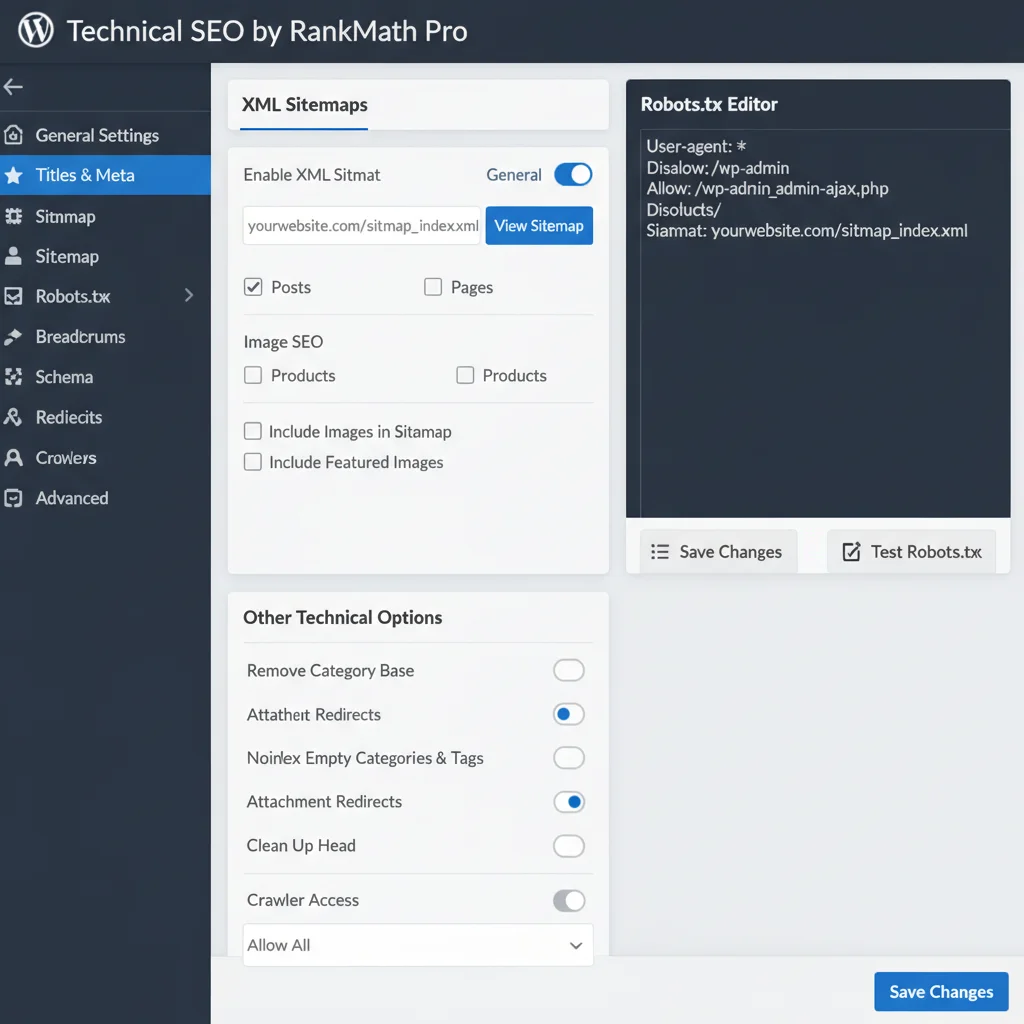
- XML Sitemaps: Automatically generate and update sitemaps that help search engines discover your content
- Caching plugins: Improve site speed with solutions like WP Rocket or W3 Total Cache
- Image optimisation: Tools like Smush or ShortPixel compress images without quality loss
We’ve compiled a list of essential WordPress plugins that can significantly boost your site’s performance and search rankings.
Mobile-First Design That Boosts Rankings
Google uses mobile-first indexing, meaning it primarily uses the mobile version of your site for ranking and indexing. WordPress themes are built with responsive design as standard, ensuring your site looks and performs well across all devices.
This mobile optimisation isn’t just about appearance – it affects core web vitals like loading speed and user experience metrics that directly impact your search rankings. WordPress themes undergo rigorous testing across devices and browsers before approval.
Content Management That Encourages Regular Updates
Search engines favour websites that publish fresh, relevant content regularly. WordPress makes content creation and updates effortless, encouraging the kind of regular publishing that search engines reward.
The intuitive editor means you can focus on creating quality content rather than wrestling with technical formatting. Features like scheduled publishing, content categories, and tagging help you maintain an organised content strategy that search engines can easily understand and index.
Built-In Blogging Capabilities
WordPress began as a blogging platform, and those roots show in its content management strengths. The platform makes it simple to maintain a business blog – one of the most effective long-term SEO strategies available.
Regular blogging helps you target long-tail keywords, establish topical authority, and provide fresh content that search engines love. Our own blog demonstrates how consistent, quality content can drive significant organic traffic.
Technical SEO Advantages
WordPress handles many technical SEO elements automatically, reducing the risk of common mistakes that can hurt your rankings.

Automatic XML Sitemaps
WordPress automatically generates XML sitemaps that help search engines discover and index your content. These sitemaps update automatically when you add new pages or posts, ensuring search engines always have the latest information about your site structure.
Canonical URLs
The platform automatically handles canonical URLs, preventing duplicate content issues that can confuse search engines and dilute your rankings. This is particularly important for e-commerce sites or blogs with multiple categories.
Fast Loading Speeds
WordPress core is lightweight and optimised for performance. Combined with quality hosting and caching plugins, WordPress sites can achieve excellent loading speeds – a confirmed Google ranking factor.
Avoiding common SEO mistakes becomes much easier when your platform handles the technical foundations correctly from the start.
Comparing WordPress to Other CMS Options
While other content management systems exist, none match WordPress’s combination of SEO features, flexibility, and ease of use. Platforms like Wix or Squarespace may seem simpler initially, but they often limit your SEO potential with restricted customisation options and slower loading speeds.
Custom-built sites can theoretically achieve better SEO, but they require significant development expertise and ongoing maintenance. WordPress gives you 90% of the benefits with far less complexity and cost.
Our comparison of the best content management systems shows why WordPress consistently ranks at the top for SEO-focused businesses.
Getting Started with WordPress SEO
Ready to harness WordPress’s SEO power for your business? Start with these essential steps:
- Choose a quality hosting provider that optimises for WordPress performance
- Select a responsive, well-coded theme from reputable developers
- Install an SEO plugin like Yoast or RankMath to guide your optimisation efforts
- Set up Google Search Console and Google Analytics to track your progress
- Create a content strategy that focuses on your audience’s needs and search behaviour
Remember, SEO success requires more than just the right platform. You need to understand which metrics matter most and consistently track your performance to identify opportunities for improvement.
For more detail, see our guide on which CMS should you choose.
WordPress provides the foundation, but your content quality, user experience, and ongoing optimisation efforts determine your ultimate success in search rankings. The platform simply makes it easier to implement SEO best practices without requiring technical expertise.
Frequently Asked Questions
Is WordPress really better than other platforms for SEO?
Yes, WordPress consistently outperforms other content management systems for SEO due to its clean code structure, built-in optimisation features, and extensive plugin ecosystem. The platform handles many technical SEO elements automatically while providing flexibility for advanced optimisation.
Do I need technical skills to optimise a WordPress site for SEO?
No, WordPress makes SEO accessible to non-technical users through its intuitive interface and plugins like Yoast or RankMath. These tools provide step-by-step guidance for optimising content, meta descriptions, and other essential SEO elements.
How long does it take to see SEO results with WordPress?
SEO results typically take 3-6 months to become noticeable, regardless of platform. However, WordPress’s optimised structure can help you see improvements faster than platforms with technical limitations or slower loading speeds.
What WordPress plugins are essential for SEO?
The most important SEO plugins include Yoast SEO or RankMath for content optimisation, a caching plugin like WP Rocket for speed, and an image optimisation plugin like Smush. XML sitemap functionality is built into WordPress core.
Can WordPress handle large websites with thousands of pages?
Absolutely. WordPress powers some of the world’s largest websites, including major news outlets and e-commerce stores. With proper hosting and optimisation, WordPress scales effectively for enterprise-level sites while maintaining SEO performance.
Does using WordPress themes affect my SEO rankings?
Theme choice does impact SEO, but quality WordPress themes are built with SEO best practices in mind. Choose themes that are mobile-responsive, fast-loading, and follow proper HTML structure. Avoid themes with bloated code or poor performance scores.