
Your complete guide to SEO terminology
A plain-language reference for every SEO term you need to know — from algorithm updates to XML sitemaps. Written by Perth SEO practitioners, not textbooks.
A plain-language reference for every SEO term you need to know — from algorithm updates to XML sitemaps. Written by Perth SEO practitioners, not textbooks.

If you’re new to SEO or just need a refresher, this glossary breaks down the key terms you’ll come across. You’ll find clear, practical explanations for common concepts like backlinks, heading tags, alt text, keyword research and more. Written in plain language with no fluff — just useful info you can refer to anytime.
Jump to a category:
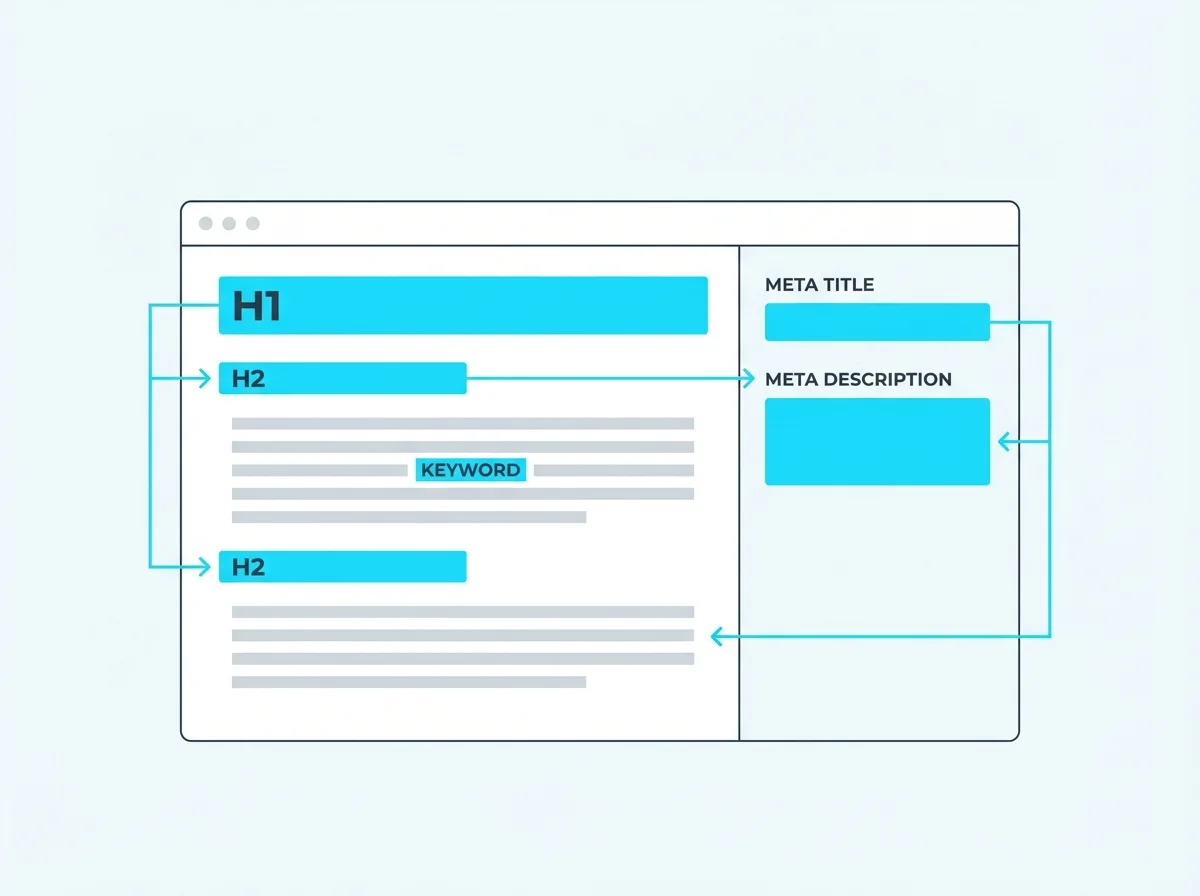
Alt text (alternative text) is a short description added to an image’s HTML tag. If the image fails to load, the alt text is displayed in its place. It also helps search engines understand what the image depicts, which can improve your visibility in image search results. Writing descriptive, keyword-relevant alt text is a simple but effective on-page SEO win.
Anchor text is the visible, clickable text in a hyperlink. It tells both users and search engines what the linked page is about. Using descriptive anchor text — rather than generic phrases like “click here” — helps search engines understand context and can strengthen your internal linking strategy. Over-optimising anchor text with exact-match keywords can look spammy, so keep it natural.
A canonical tag (rel=”canonical”) tells search engines which version of a page is the “main” one when duplicate or near-duplicate versions exist. This is common on e-commerce sites where product pages can be accessed via multiple URLs. Setting the correct canonical prevents dilution of ranking signals and keeps your index clean.
Content marketing is the practice of creating and distributing valuable, relevant content to attract and retain a clearly defined audience. In SEO, strong content marketing supports keyword targeting, earns backlinks naturally, and establishes topical authority. It includes blog posts, guides, videos, infographics, and more — all designed to answer your audience’s questions and build trust over time.
Duplicate content refers to identical or substantially similar content appearing on multiple URLs, either within the same site or across different domains. Search engines struggle to decide which version to rank, which can dilute your visibility. Common causes include URL parameters, www vs non-www versions, and printer-friendly pages. Use canonical tags, 301 redirects, or noindex directives to resolve duplication issues.
E-E-A-T is Google’s framework for evaluating content quality, outlined in their Search Quality Rater Guidelines. It considers the creator’s first-hand experience with the topic, their expertise, the authority of the website, and overall trustworthiness. While not a direct ranking factor, E-E-A-T signals influence how Google’s algorithms assess content quality — particularly for YMYL topics like health and finance.
Evergreen content stays relevant and useful long after it’s published. Unlike news articles or trend pieces, evergreen content — such as how-to guides, glossaries, and FAQs — continues to attract organic traffic over months and years. It’s a cornerstone of sustainable content marketing because it compounds in value as it earns backlinks and builds authority over time.
A featured snippet is a highlighted answer box that appears at the top of Google’s search results, often called “position zero.” Google pulls the snippet directly from a webpage that best answers the query, displaying it as a paragraph, list, table, or video. Structuring your content with clear headings, concise answers, and structured data can increase your chances of earning a featured snippet.
Heading tags (H1 through H6) structure your content hierarchically. The H1 is typically your main page title and should only appear once. Subsequent headings (H2, H3, etc.) break content into logical sections. Proper heading structure helps search engines understand your content’s organisation and improves accessibility for screen readers.
Google’s Helpful Content Update (first rolled out in August 2022 and integrated into the core algorithm in 2024) targets sites that produce content primarily for search engines rather than people. It uses a site-wide signal, meaning a large amount of unhelpful content can drag down the rankings of your entire domain. The fix is straightforward: write content that genuinely helps your audience rather than gaming algorithms.
Keyword cannibalisation occurs when multiple pages on your site compete for the same keyword or search intent. Instead of one strong page ranking well, search engines split their attention — and your rankings suffer as a result. Fix it by consolidating competing pages, differentiating their target keywords, or using canonical tags to signal which page should rank.
Keyword density is the percentage of times a keyword appears relative to the total word count of a page. While there’s no magic number, a natural keyword density of 1-2% is generally considered healthy. Too low and search engines may miss the page’s topic; too high and you risk being flagged for keyword stuffing. Focus on writing naturally rather than hitting a specific density target.
Keyword research is the process of discovering which search terms your target audience uses when looking for products, services, or information. It involves analysing search volume, competition, and intent to identify the best terms to target. Good keyword research informs your content strategy, page structure, and on-page optimisation — it’s the foundation of any successful SEO campaign.
Keyword stuffing is the practice of cramming excessive keywords into a page’s content, meta tags, or alt text in an attempt to manipulate rankings. It results in a poor user experience and is considered a black hat technique. Google’s algorithms are sophisticated enough to detect keyword stuffing, and it can lead to ranking penalties or manual actions against your site.
Long-tail keywords are longer, more specific search phrases — typically three or more words. They have lower search volume than broad terms but often convert better because they reflect clearer intent. For example, “SEO Perth” is a head term, while “affordable SEO services for small business Perth” is a long-tail keyword. Targeting long-tail keywords is an effective strategy for newer sites competing against established players.
LSI (Latent Semantic Indexing) keywords are terms and phrases semantically related to your primary keyword. They help search engines understand the broader context and topic of your content. For example, an article about “backlinks” might include LSI keywords like “link building,” “referring domains,” and “anchor text.” Using LSI keywords naturally throughout your content signals topical depth without resorting to keyword stuffing.
The meta description is the short summary that appears below your page title in search engine results. While it doesn’t directly influence rankings, a compelling meta description can significantly improve your click-through rate. Keep it under 160 characters, include your target keyword naturally, and write it as a persuasive pitch that tells searchers exactly what they’ll find on your page.
The meta title (or title tag) is the headline shown in search results and browser tabs. It’s one of the most important on-page SEO elements because it directly influences both rankings and click-through rates. Keep it under 60 characters, place your primary keyword near the beginning, and make it compelling enough to earn clicks over competing results.
Pillar pages are comprehensive, authoritative pages that cover a broad topic in depth. They serve as the central hub of a topic cluster, linking out to more detailed subtopic pages and receiving links back. This internal linking structure helps search engines understand topic relationships and can boost the authority of your entire content cluster. A well-built pillar page becomes a long-term traffic asset.
Search intent is the underlying goal behind a user’s search query. The four main types are informational (seeking knowledge), navigational (looking for a specific site), transactional (ready to buy), and commercial investigation (comparing options). Aligning your content with the correct search intent is critical — even a perfectly optimised page won’t rank if it doesn’t match what users are actually looking for.
Thin content refers to pages that provide little or no value to users. This includes pages with very few words, auto-generated text, doorway pages, or content that’s been scraped from other sources. Google’s algorithms — especially the Helpful Content Update — actively penalise sites with large amounts of thin content. Every page on your site should serve a clear purpose and offer genuine value to visitors.
The title tag is the HTML element that defines the title of a webpage. It appears in search engine results, browser tabs, and social media previews. It’s effectively the same as the meta title — the most important on-page SEO element for signalling your page’s topic to search engines. Each page should have a unique, descriptive title tag that includes its primary keyword.
A topic cluster is a content strategy where a comprehensive pillar page covers a broad topic and links to multiple related subtopic pages, which in turn link back to the pillar. This creates a tightly interconnected web of content that signals topical authority to search engines. It’s an effective way to organise your site’s content architecture and improve rankings across an entire subject area.
Topical authority is the degree to which a website is recognised as an expert source on a particular subject. Search engines evaluate this by looking at the depth, breadth, and quality of content you’ve published on a topic, along with the backlinks you’ve earned from other authoritative sources. Building topical authority through comprehensive, well-linked content clusters is one of the most effective long-term SEO strategies.
YMYL pages are those that could impact a person’s health, safety, financial stability, or overall well-being. Google holds these pages to significantly higher quality standards, applying stricter E-E-A-T evaluation. Examples include medical advice, financial planning, legal information, and news. If your site covers YMYL topics, invest heavily in demonstrating expertise, sourcing information properly, and building trust signals.
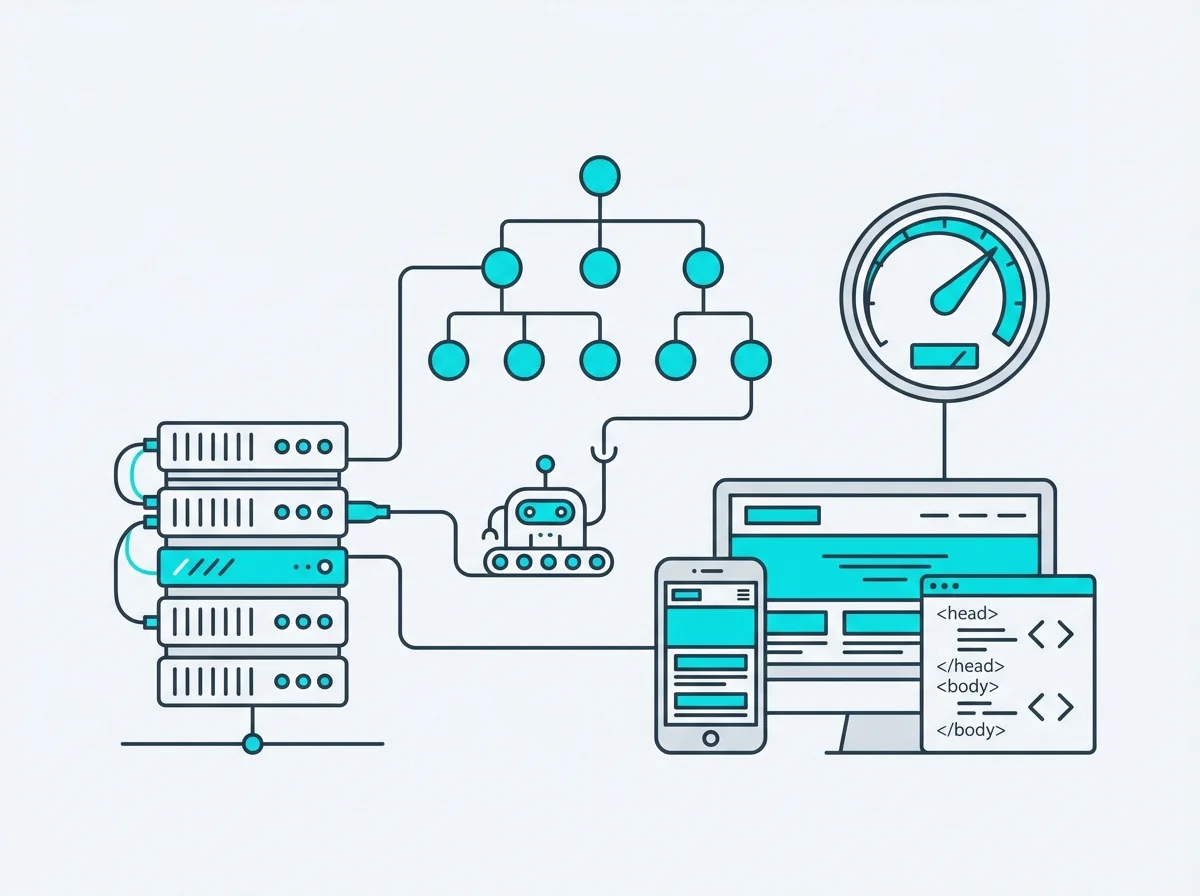
A 301 redirect permanently sends visitors and search engines from one URL to another. It’s the correct method to use when a page has moved to a new address, as it passes the majority of the original page’s ranking signals (link equity) to the destination URL. Common uses include migrating to a new domain, consolidating duplicate pages, or cleaning up old URL structures after a site redesign.
A broken link is a hyperlink that points to a page that no longer exists, typically returning a 404 error. Broken links create a poor user experience and waste crawl budget, as search engine bots follow dead-end paths instead of discovering useful content. Regularly auditing your site for broken links — both internal and outbound — is a fundamental part of technical SEO maintenance.
Caching stores a pre-built version of your web pages so they can be served to visitors faster, without the server having to rebuild the page from scratch each time. Browser caching stores assets locally on the user’s device, while server-side caching generates static HTML versions of dynamic pages. Proper caching configuration is one of the quickest wins for improving page speed and Core Web Vitals scores.
Cloaking is the deceptive practice of showing different content to search engines than what users see. For example, serving keyword-stuffed text to Googlebot while displaying a normal page to visitors. It’s a clear violation of Google’s guidelines and is classified as a black hat SEO technique. Getting caught cloaking can result in a manual action that removes your site from search results entirely.
A CMS is software that lets you create, manage, and publish website content without needing to write code from scratch. WordPress is the most popular CMS, powering over 40% of the web. A good CMS makes it easy to implement SEO best practices — like editing meta titles, managing URLs, and adding structured data — without relying on a developer for every change.
Core Web Vitals are a set of specific metrics Google uses to measure real-world user experience on your website. They include Largest Contentful Paint (LCP), which measures loading performance; Interaction to Next Paint (INP), which replaced First Input Delay (FID) and measures responsiveness; and Cumulative Layout Shift (CLS), which measures visual stability. These metrics are confirmed Google ranking factors and can be monitored in Google Search Console and PageSpeed Insights.
Crawling is the process by which search engine bots (like Googlebot) discover and scan web pages across the internet. Bots follow links from page to page, reading content and code to understand what each page is about. If a page can’t be crawled — due to robots.txt blocks, noindex tags, or server errors — it won’t appear in search results. Ensuring your important pages are crawlable is a foundational aspect of technical SEO.
Crawl budget is the number of pages a search engine bot will crawl on your site within a given timeframe. It’s determined by your site’s crawl rate (how fast Google can crawl without overloading your server) and crawl demand (how much Google wants to crawl based on popularity and freshness). For large sites with thousands of pages, managing crawl budget — by eliminating thin pages, fixing redirect chains, and maintaining a clean sitemap — is essential for ensuring important pages get indexed.
Crawl errors occur when search engine bots encounter problems accessing your pages. Common types include 404 (page not found), 500 (server error), and DNS errors. These are reported in Google Search Console under the Pages report. Unresolved crawl errors can prevent important pages from being indexed and signal to Google that your site has quality issues. Regular monitoring and prompt fixes are a key part of technical SEO hygiene.
CSS is the code that controls how your website looks — fonts, colours, spacing, layout, and responsive behaviour across different screen sizes. It works alongside HTML and JavaScript to create the front-end experience. From an SEO perspective, well-optimised CSS contributes to faster page loads and better Core Web Vitals scores. Render-blocking CSS can delay page rendering, so critical CSS should be inlined for performance.
De-indexing is the removal of a page or entire site from a search engine’s index, making it invisible in search results. This can happen intentionally (using noindex tags or the URL Removal Tool in Google Search Console) or as a penalty for violating search engine guidelines. Accidental de-indexing — often caused by misplaced noindex tags during development — is a common technical SEO issue that can cause significant traffic drops.
HTML is the foundational language of the web, defining the structure and content of every webpage. SEO-critical elements — including title tags, meta descriptions, heading tags, alt text, schema markup, and canonical tags — are all implemented through HTML. Understanding basic HTML is valuable for anyone working in SEO, as it allows you to audit and troubleshoot on-page issues directly in the source code.
HTTP status codes are three-digit responses from a web server indicating the outcome of a page request. Key codes for SEO include: 200 (success), 301 (permanent redirect), 302 (temporary redirect), 404 (not found), 410 (permanently gone), and 500 (server error). Understanding status codes is essential for diagnosing crawl issues, managing redirects, and ensuring search engines can access your content properly.
Indexing is the process by which search engines store and organise the content they’ve crawled, making it available to appear in search results. A page must be both crawlable and indexable to rank. You can check your indexing status in Google Search Console and use tools like sitemaps and the Indexing API to encourage faster indexing of new or updated content.
Google’s Indexing API allows website owners to programmatically notify Google when pages are added, updated, or removed. Originally designed for job posting and livestream structured data, it’s now used more broadly to accelerate indexing of important pages. It’s particularly useful for large sites or time-sensitive content where waiting for natural crawling would be too slow. The API requires setup through Google Cloud Console and service account authentication.
JavaScript is a programming language used to add interactivity to websites — things like dynamic content loading, form validation, animations, and single-page applications. While Googlebot can render JavaScript, it does so in a separate, delayed process. Heavy JavaScript can slow page loads, hurt Core Web Vitals, and create indexing issues if content is only available after JS execution. Server-side rendering or pre-rendering can mitigate these risks.
Mobile-first indexing means Google predominantly uses the mobile version of your website for indexing and ranking, rather than the desktop version. This shift reflects how the majority of searches now happen on mobile devices. If your mobile site has less content, fewer links, or different structured data than your desktop version, your rankings will suffer. Responsive design — where the same content adapts to all screen sizes — is the recommended approach.
“Noindex” is a meta robots directive that tells search engines not to include a page in their index, effectively hiding it from search results. “Nofollow” tells search engines not to pass link equity (ranking value) through a specific link. These are powerful technical SEO tools for managing what gets indexed and how link equity flows through your site — but misusing them can accidentally hide important pages or waste link value.
Page speed measures how quickly your web pages load and become interactive. It’s a confirmed Google ranking factor and a critical component of user experience — slow pages increase bounce rates and reduce conversions. Key optimisation techniques include image compression, browser caching, code minification, lazy loading, and using a content delivery network (CDN). Monitor performance using Google PageSpeed Insights and Core Web Vitals data.
Page experience is a set of Google ranking signals that evaluate how users perceive the experience of interacting with a page beyond its informational value. It includes Core Web Vitals, mobile-friendliness, HTTPS security, absence of intrusive interstitials (pop-ups), and safe browsing status. While page experience alone won’t outweigh great content, it can be the tiebreaker between pages of similar relevance and quality.
Programmatic SEO is the practice of creating large numbers of optimised pages at scale using templates and data sources. Instead of manually writing each page, you use databases, APIs, or spreadsheets to populate page templates automatically. Examples include location pages (e.g., “SEO services in [suburb]”), product comparison pages, and directory listings. Done well, it’s highly efficient; done poorly, it produces thin content that Google will penalise.
Robots.txt is a text file placed in your site’s root directory that tells search engine crawlers which areas of your site they can and can’t access. It’s useful for blocking admin pages, staging environments, duplicate content, or resource-heavy pages that waste crawl budget. However, robots.txt only controls crawling — not indexing. A blocked page can still appear in search results if other pages link to it. Use noindex tags to prevent indexing.
Schema markup is code (typically JSON-LD) added to your pages to help search engines understand your content more precisely. It can trigger rich results in search — such as star ratings, FAQs, event details, product prices, and breadcrumbs — which increase visibility and click-through rates. Common schema types include LocalBusiness, Article, Product, FAQ, and HowTo. Implementing schema is a high-impact technical SEO tactic.
A sitemap is a file (usually XML) that lists all the important pages on your website, helping search engines discover and crawl your content more efficiently. It includes metadata like last modified dates and change frequency. Submit your sitemap through Google Search Console and reference it in your robots.txt file. Sitemaps are especially important for large sites, new sites, or sites with pages that aren’t well-linked internally.
The URL slug is the part of a web address that identifies a specific page in a human-readable format — for example, “seo-glossary” in pwd.com.au/seo-glossary/. A good slug is short, descriptive, and includes relevant keywords. Avoid auto-generated slugs with numbers or random strings. Clean URLs improve user experience, are more shareable, and give search engines additional context about a page’s content.
A web crawler (also called a spider or bot) is an automated program used by search engines to discover, scan, and index web pages. Googlebot is the most well-known crawler, but Bing’s Bingbot and other search engines have their own. Crawlers follow links between pages, reading content and code to build the search engine’s index. Understanding how crawlers work helps you optimise your site’s crawlability and ensure important content gets discovered.
An XML sitemap is a structured file that provides search engines with a complete list of URLs on your site that you want indexed. Unlike HTML sitemaps (designed for users), XML sitemaps are machine-readable and include metadata like last modification dates, change frequency, and priority. Most CMS platforms like WordPress generate XML sitemaps automatically. Submit yours through Google Search Console for the best results.
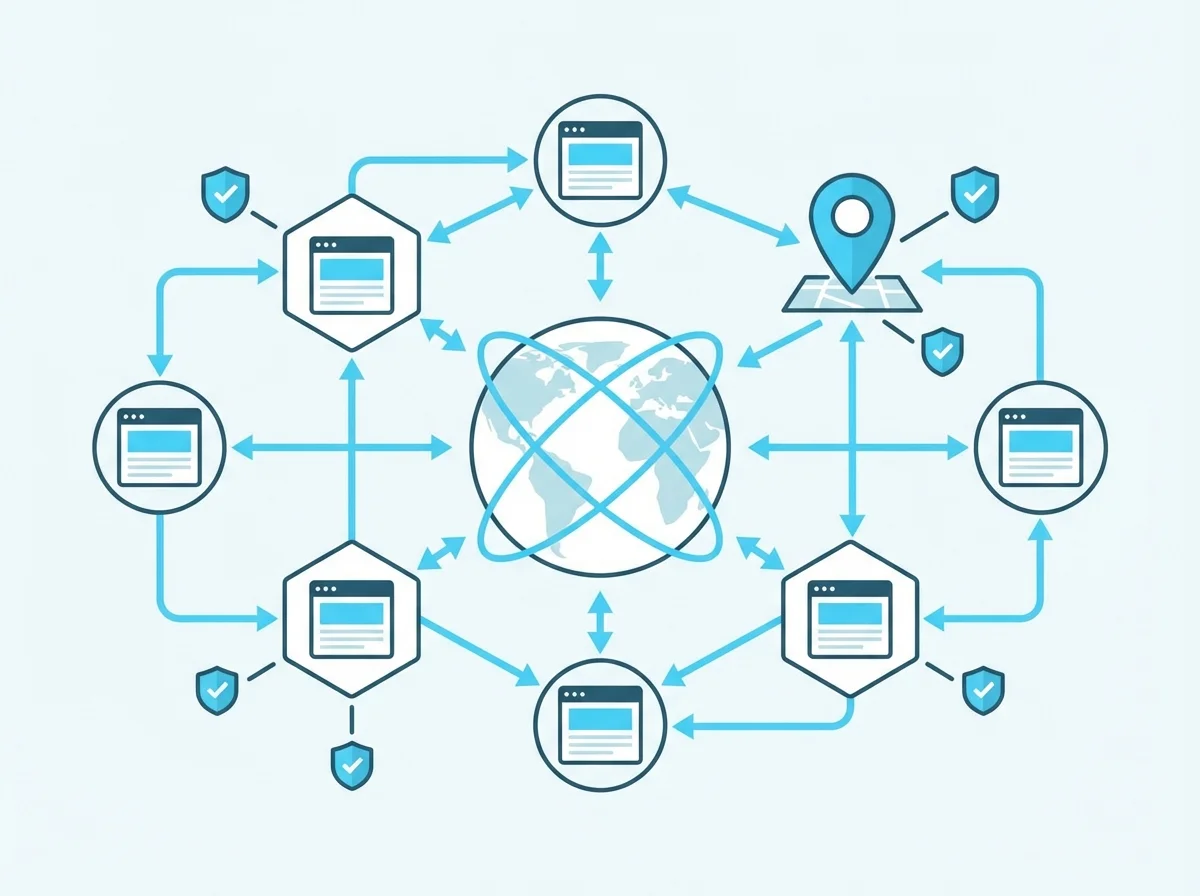
Backlinks are links from external websites that point to your site. They’re one of Google’s most important ranking factors because they act as “votes of confidence” from other sites. However, not all backlinks are equal — links from authoritative, relevant sites carry far more weight than those from low-quality or unrelated sources. A strategic link building campaign focuses on earning quality backlinks through great content, outreach, and genuine relationships.
Black hat SEO refers to tactics that violate search engine guidelines in an attempt to manipulate rankings. Common techniques include keyword stuffing, cloaking, private blog networks (PBNs), hidden text, and buying links. While these methods may produce short-term gains, they carry serious risks — including manual actions from Google that can remove your site from search results entirely. What’s considered black hat evolves as search algorithms get more sophisticated.
Google’s Disavow Tool lets you tell Google to ignore specific backlinks pointing to your site. It’s used when you’ve been the target of negative SEO (spammy links built to your site), or when you’ve inherited toxic links from past black hat link building efforts. The disavow file is submitted through Google Search Console. Use it cautiously — disavowing legitimate links can hurt your rankings rather than help them.
Domain Authority (DA) is a metric developed by Moz that scores a website’s likelihood of ranking on a scale from 1 to 100. It’s calculated based on factors like the number and quality of backlinks, linking root domains, and other signals. DA is not a Google ranking factor — it’s a third-party estimation tool. While useful for comparing sites and tracking progress, it should be used alongside other metrics rather than as the sole measure of SEO success.
Google Business Profile (formerly Google My Business) is a free tool that lets local businesses manage how they appear on Google Search and Google Maps. You can add your business hours, contact details, services, photos, and respond to customer reviews. An optimised Google Business Profile is essential for local SEO — it directly influences your visibility in the Local Pack and Maps results. Regularly updating your profile and earning positive reviews are key to standing out in local search.
Link building is the process of acquiring backlinks from other websites to improve your site’s authority and search rankings. Effective strategies include creating link-worthy content, digital PR, guest posting on relevant publications, broken link building, and building genuine relationships in your industry. Quality always trumps quantity — a single link from a highly authoritative, relevant site is worth more than dozens of links from low-quality directories.
Link juice (also called link equity) is the ranking value or authority passed from one page to another through hyperlinks. Pages with strong authority pass more link juice to the pages they link to. Internal linking strategies use this concept to funnel authority toward your most important pages. Nofollow links don’t pass link juice, while dofollow links do — though the exact amount is influenced by the linking page’s authority and number of outbound links.
The Local Pack (also called the “map pack” or “3-pack”) is the block of three local business listings that appears in Google search results for queries with local intent, alongside a map. Appearing in the Local Pack can drive significant traffic and leads for local businesses. Ranking factors include Google Business Profile optimisation, proximity to the searcher, review quantity and quality, and NAP consistency across the web.
Local SEO is the practice of optimising your online presence to attract more business from relevant local searches. It involves optimising your Google Business Profile, building local citations, earning reviews, creating location-specific content, and ensuring NAP consistency. For businesses serving a specific geographic area — like a Perth-based agency or a local trades business — local SEO is often the most impactful form of search optimisation.
A manual action is a penalty issued by a human reviewer at Google (not an algorithm) when your site is found to violate Google’s Webmaster Guidelines. Common triggers include unnatural link schemes, thin content, cloaking, and structured data abuse. Manual actions appear in Google Search Console and can affect specific pages or your entire site. Recovery requires fixing the violation and submitting a reconsideration request — a process that can take weeks or months.
NAP stands for Name, Address, and Phone Number — the three critical pieces of business information that must be consistent across your website, Google Business Profile, and all online directories. Inconsistent NAP data confuses search engines and can hurt your local SEO rankings. Regularly auditing your NAP citations across the web and correcting any discrepancies is a fundamental part of local search optimisation.
Off-site optimisation encompasses all SEO activities that take place outside your own website to improve search rankings. The primary focus is link building, but it also includes brand mentions, social media signals, influencer outreach, digital PR, and managing online reviews. Off-site SEO builds your site’s authority and reputation in the eyes of search engines — complementing your on-page efforts to create a complete SEO strategy.
On-site optimisation refers to SEO changes made directly on your website to improve rankings. This includes optimising title tags, meta descriptions, heading structure, internal links, image alt text, URL slugs, keyword usage, and content quality. It also covers technical elements like page speed, mobile responsiveness, and schema markup. On-site SEO gives you the most direct control over your search performance.
Referral traffic is website traffic that comes from users clicking links on other websites, rather than from search engines, direct visits, or paid ads. In Google Analytics, referral traffic is tracked as its own channel. High-quality referral traffic from relevant, authoritative sites not only brings potential customers but also indicates a strong backlink profile — both of which support your broader SEO strategy.
The Google Sandbox is an unconfirmed (but widely discussed) theory that new websites are temporarily held back in search rankings for a period of time, regardless of their content quality or backlink profile. The idea is that Google needs time to trust a new domain. While Google has never confirmed the sandbox exists, many SEOs observe that new sites take several months to gain traction. The best approach is to focus on building quality content and links from day one.
Scraped content is text or media copied from other websites without permission or attribution, typically done automatically using scraping tools. Publishing scraped content violates Google’s guidelines and can result in manual actions or algorithmic penalties. It also creates duplicate content issues that dilute the original source’s rankings. Always create original content or, if referencing others’ work, add substantial original value and proper attribution.
White hat SEO refers to optimisation strategies that comply with search engine guidelines and focus on providing genuine value to users. This includes creating high-quality content, earning backlinks through outreach and merit, optimising technical elements, and building a positive user experience. White hat methods deliver sustainable, long-term results without the risk of penalties that come with black hat tactics.
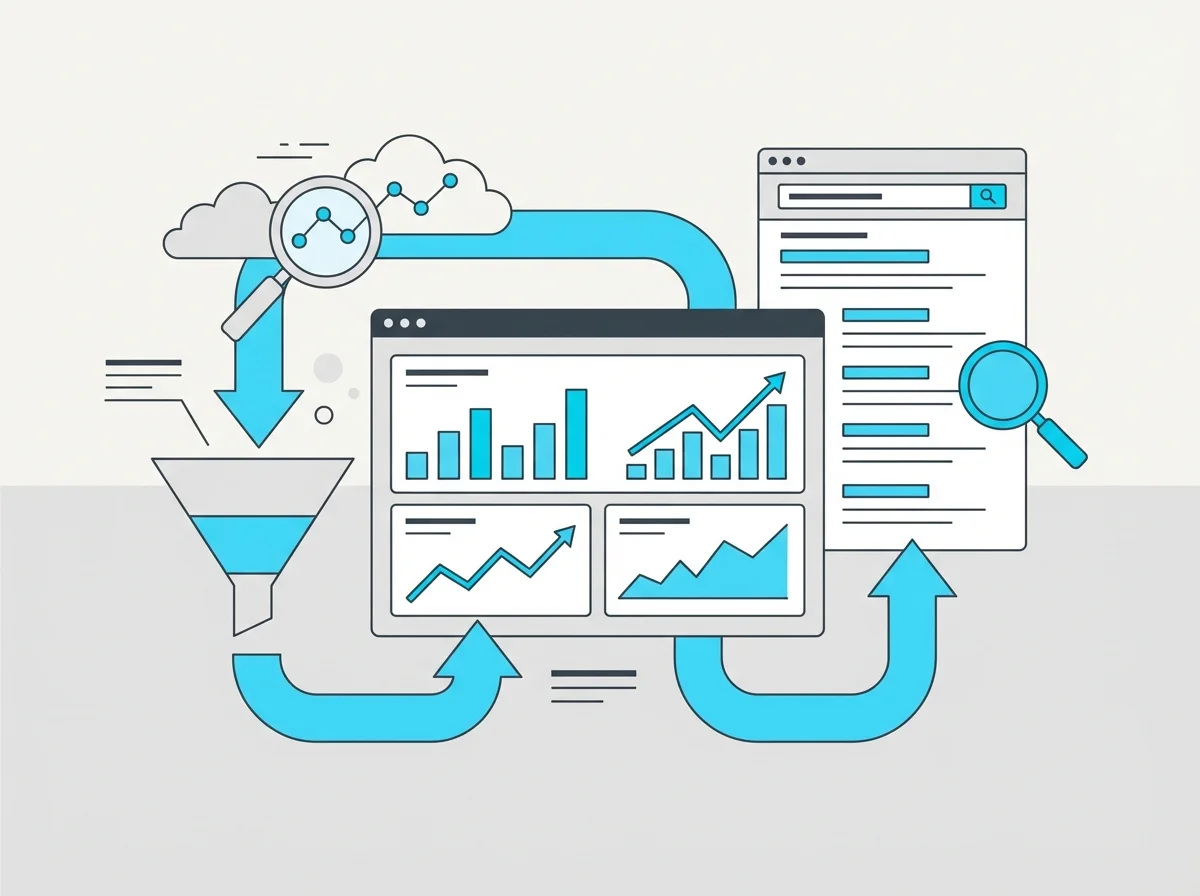
AI Overviews are Google’s AI-generated summaries that appear at the top of search results for certain queries, synthesising information from multiple sources into a concise answer. Launched as part of Google’s Search Generative Experience (SGE) and now integrated into standard search, AI Overviews can reduce click-through rates to individual websites by answering queries directly. Optimising for AI Overviews involves creating clear, well-structured content that directly answers common questions in your niche.
Answer Engine Optimisation is the practice of optimising content to appear in AI-powered answer engines like Google’s AI Overviews, ChatGPT, Perplexity, and other large language model-based search tools. AEO focuses on structuring content with clear questions and concise answers, using schema markup, building topical authority, and ensuring your brand is referenced across trusted sources. As search increasingly shifts toward AI-generated answers, AEO is becoming an essential complement to traditional SEO.
Bounce rate is the percentage of visitors who land on a page and leave without taking any further action — no clicks, no scrolling (in GA4’s definition, it’s sessions that weren’t “engaged”). A high bounce rate can signal that your content doesn’t match user intent, the page loads too slowly, or the user experience is poor. However, context matters: a high bounce rate on a contact page or simple answer page isn’t necessarily bad if the user found what they needed.
CTR is the percentage of people who click on your link after seeing it in search results, calculated by dividing clicks by impressions. A strong CTR indicates that your title tag and meta description are compelling and relevant to the search query. You can monitor CTR in Google Search Console. Improving CTR through better titles and descriptions can increase traffic without improving your ranking position — it’s one of the quickest wins in SEO.
Entity SEO is the practice of optimising your online presence around entities — people, places, organisations, concepts, and things that search engines recognise and understand as distinct objects in their Knowledge Graph. Rather than focusing solely on keywords, entity SEO ensures search engines understand what your brand is, what it does, and how it relates to other entities. This involves consistent NAP data, schema markup, Wikipedia/Wikidata presence, and being mentioned across authoritative sources.
The fold is the point where the visible screen area ends before a user starts scrolling. Content above the fold gets the most immediate attention and loads first. Placing key elements — headlines, calls to action, and core value propositions — above the fold can improve engagement and conversion rates. The exact fold position varies between desktop and mobile devices, so test your layout across different screen sizes.
Geo-targeting is the practice of delivering different content, ads, or search results based on a user’s geographic location. In SEO, geo-targeting involves optimising for location-specific keywords, creating location pages, and configuring hreflang tags for multilingual or multi-regional sites. Google Ads uses geo-targeting to show ads only to users in specific areas. For businesses like ours serving Perth and Western Australia, geo-targeting ensures we reach the right local audience.
Google Ads is Google’s paid advertising platform where businesses bid on keywords to display ads in search results, on YouTube, across the Google Display Network, and in other Google properties. You pay per click (PPC), per impression (CPM), or per conversion depending on the campaign type. While not directly related to organic SEO, Google Ads data — particularly keyword performance and conversion data — provides valuable insights that can inform your organic keyword strategy.
Google Analytics (GA4) is Google’s free web analytics platform that tracks and reports website traffic. It shows where visitors come from, what pages they view, how long they stay, and what actions they take. For SEO, Google Analytics is essential for measuring organic traffic trends, identifying top-performing pages, tracking conversions from organic search, and understanding user behaviour. It integrates with Google Search Console to provide a complete picture of your search performance.
Google Search Console (GSC) is a free tool from Google that helps you monitor and maintain your site’s presence in search results. It shows which queries bring traffic to your site, your average position and CTR, indexing status, crawl errors, mobile usability issues, and Core Web Vitals data. GSC is the single most important free SEO tool — it provides data directly from Google about how your site performs in search.
Googlebot is Google’s web crawler — the automated bot that discovers and scans web pages for inclusion in Google’s search index. It operates in two versions: Googlebot Desktop and Googlebot Smartphone (which is now the primary crawler due to mobile-first indexing). Understanding Googlebot’s behaviour helps you optimise crawlability, manage crawl budget, and ensure your most important pages get discovered and indexed efficiently.
Internal linking is the practice of creating hyperlinks between pages on the same website. A strong internal linking structure helps search engines discover and understand the relationship between your pages, distributes link equity throughout your site, and guides users to related content. Strategic internal linking — using descriptive anchor text and linking from high-authority pages to important target pages — is one of the most underutilised yet effective SEO techniques available.
Google’s Knowledge Graph is a massive database of facts about people, places, organisations, and things, and how they relate to each other. When Google has sufficient data about an entity, it may display a Knowledge Panel — an information box on the right side of search results (desktop) or at the top (mobile). Getting a Knowledge Panel for your brand involves establishing a clear entity identity through schema markup, a Google Business Profile, Wikipedia/Wikidata entries, and consistent information across authoritative sources.
Organic traffic is the visitors who arrive at your website by clicking on unpaid (organic) search results. It’s distinct from paid traffic (ads), direct traffic (typing your URL), referral traffic (links from other sites), and social traffic. Organic traffic is the primary metric for measuring SEO success because it reflects how well your site ranks for relevant search queries. Growing organic traffic sustainably requires consistent effort across content, technical SEO, and link building.
Page experience refers to how users perceive the overall quality of interacting with a webpage. Google measures this through a combination of signals including Core Web Vitals (loading, interactivity, visual stability), mobile-friendliness, HTTPS security, and the absence of intrusive interstitials. Good page experience doesn’t guarantee high rankings, but it contributes to the overall quality assessment and can be a deciding factor when content relevance is equal between competing pages.
An SEO penalty is a ranking loss imposed on a website for violating search engine guidelines. Penalties come in two forms: manual actions (issued by Google’s human reviewers and visible in Search Console) and algorithmic penalties (automatic ranking drops caused by algorithm updates like Panda or Penguin). Recovery from a penalty requires identifying and fixing the root cause — whether it’s spammy links, thin content, or other violations — and sometimes submitting a reconsideration request.
People Also Ask is a SERP feature that displays a list of related questions that users commonly search for, with expandable answer boxes. Each answer is pulled from a webpage and linked to the source. Appearing in PAA boxes can significantly increase your visibility and traffic. To optimise for PAA, structure your content with clear question-and-answer formatting, use FAQ schema markup, and cover related subtopics thoroughly within your content.
A redirect chain occurs when a URL redirects to another URL, which then redirects to yet another URL — creating a sequence of multiple redirects before reaching the final destination. Each hop in the chain adds load time and can dilute link equity. Search engines may stop following redirect chains after a certain number of hops (typically 3-5). Clean up redirect chains by pointing all redirects directly to the final destination URL.
A search engine is a software system that indexes web content and delivers relevant results in response to user queries. Google dominates with over 90% market share globally, but alternatives like Bing, Yahoo, DuckDuckGo, and emerging AI-powered search tools (Perplexity, SearchGPT) also serve significant audiences. Each search engine uses its own algorithms to rank results, though the fundamental principles of quality content, technical soundness, and authority apply across all of them.
Search Generative Experience (SGE) was Google’s experimental integration of generative AI into search results, which has since evolved into AI Overviews and AI Mode. These features use large language models to generate conversational summaries and answers directly in the search results, pulling information from multiple sources. For SEO, this shift means optimising for generative engine visibility — ensuring your content is structured, authoritative, and likely to be cited by AI systems.
The SERP is the page displayed by a search engine in response to a query. Modern SERPs contain much more than the traditional “10 blue links” — they include paid ads, featured snippets, People Also Ask boxes, Knowledge Panels, Local Packs, image carousels, video results, AI Overviews, and more. Understanding the SERP landscape for your target keywords helps you identify which features to optimise for and set realistic expectations about organic visibility.
User experience (UX) encompasses every aspect of how a person interacts with your website — from page load speed and navigation to content readability and mobile responsiveness. Good UX keeps visitors engaged, reduces bounce rates, and increases conversions. Google increasingly factors UX signals into rankings through metrics like Core Web Vitals and page experience signals. Investing in UX improvements often delivers both SEO and conversion benefits simultaneously.
Voice search refers to queries made using voice commands through smart speakers (Google Home, Alexa), smartphones, and other voice-enabled devices. Voice queries tend to be longer, more conversational, and more question-based than typed searches. Optimising for voice search involves targeting natural language phrases, answering questions directly in your content, and implementing FAQ schema markup. Local businesses particularly benefit from voice search optimisation, as many voice queries have local intent.
Zero-click searches are queries where the user gets their answer directly from the SERP without clicking through to any website. This happens through featured snippets, Knowledge Panels, AI Overviews, calculator results, weather widgets, and other SERP features. Studies estimate that over 50% of Google searches now result in zero clicks. While this can reduce traffic, appearing in these SERP features builds brand visibility and authority. Optimising for both clicks and zero-click visibility is part of a modern SEO strategy.

SEND US A MESSAGE
Let’s grow your business, together!