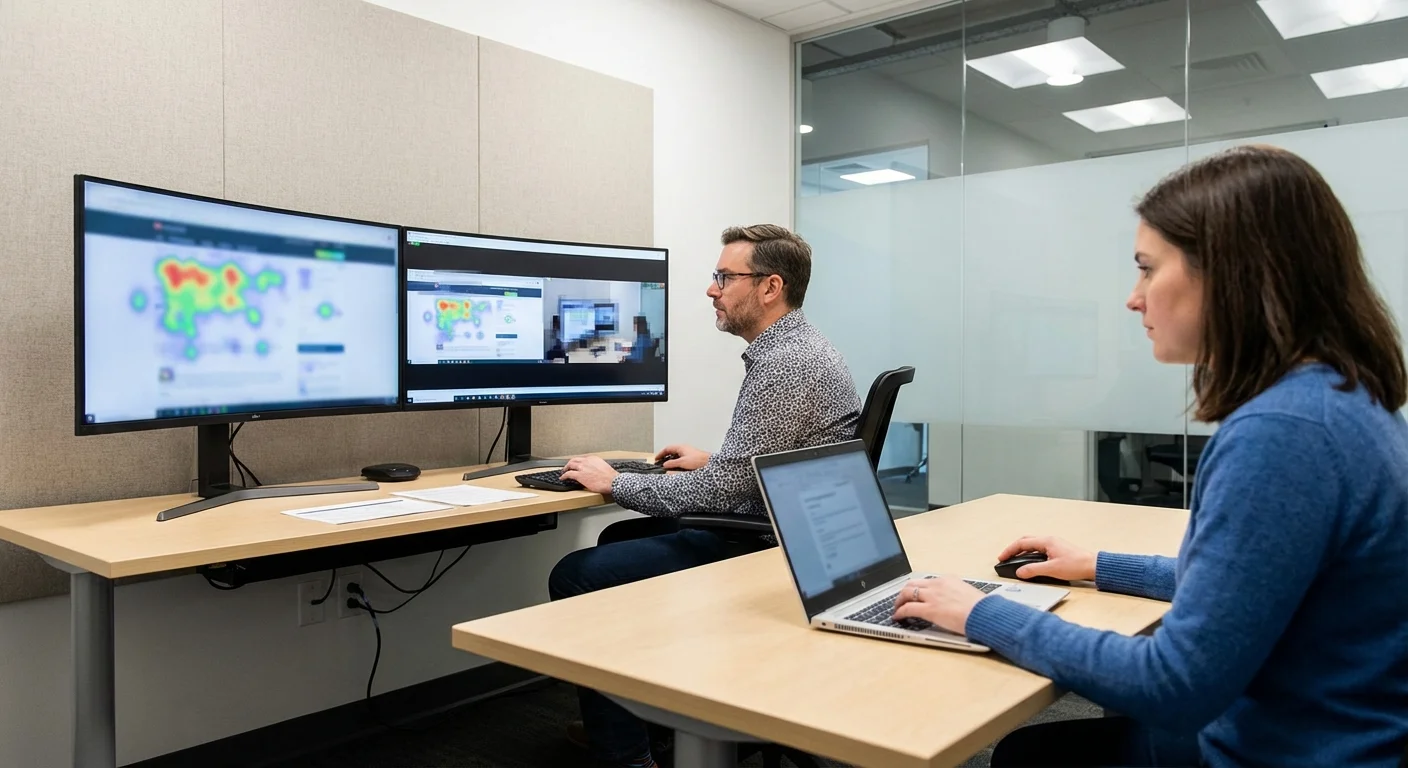
User Testing Tools to Optimise Your Website’s Usability in 2026

You can spend months designing what you believe is the perfect website, only to discover that real users struggle with the navigation, overlook your calls to action, or abandon your checkout flow in frustration. The gap between what designers assume users will do and what users actually do is often enormous. User testing bridges that gap by putting your site in front of real people and observing how they interact with it.
In this guide, we review the best user testing tools to optimise your website’s usability. We cover what each tool does, who it is best for, how much it costs, and how to get the most value from your testing efforts. Whether you are an Australian small business owner testing your own site or a marketing team running structured usability programmes, there is a tool here that fits your needs.
Why User Testing Matters for Your Website
User testing is the practice of observing real people as they attempt to complete tasks on your website. Unlike analytics, which tell you what happened, user testing shows you why it happened. You see where users hesitate, where they get confused, where they give up, and where they succeed with ease.
The benefits of user testing are well documented:
- Identify usability issues before they cost you customers. A usability problem on your checkout page might be costing you thousands of dollars per month in lost sales. User testing reveals these issues so you can fix them.
- Validate design decisions with evidence. Instead of debating whether version A or version B of a page is better, test both with real users and let the data decide.
- Understand your users’ mental models. How your users think about your products and navigate your site may differ completely from how you expect. Testing reveals these mental models.
- Improve conversion rates. Sites that conduct regular user testing consistently see higher conversion rates because they continuously remove friction from the user journey.
- Save money on development. Finding and fixing usability issues during the design phase is far cheaper than fixing them after launch.
For more on how usability drives business results, see our guide on key principles of web usability.
Types of User Testing
Before diving into specific tools, it helps to understand the different types of user testing available, as different tools specialise in different approaches.
Moderated Testing
In moderated testing, a facilitator guides the participant through tasks in real time, either in person or via video call. The facilitator can ask follow-up questions, probe deeper into confusing moments, and adapt the test based on what they observe. This approach provides the richest qualitative insights but is more time-consuming and expensive per session.
Unmoderated Testing
Unmoderated tests are completed by participants independently, without a facilitator present. The tool records their screen, voice (if they are thinking aloud), and clicks as they work through predefined tasks. This approach is faster, cheaper, and easier to scale, but provides less depth than moderated sessions.
Quantitative Testing
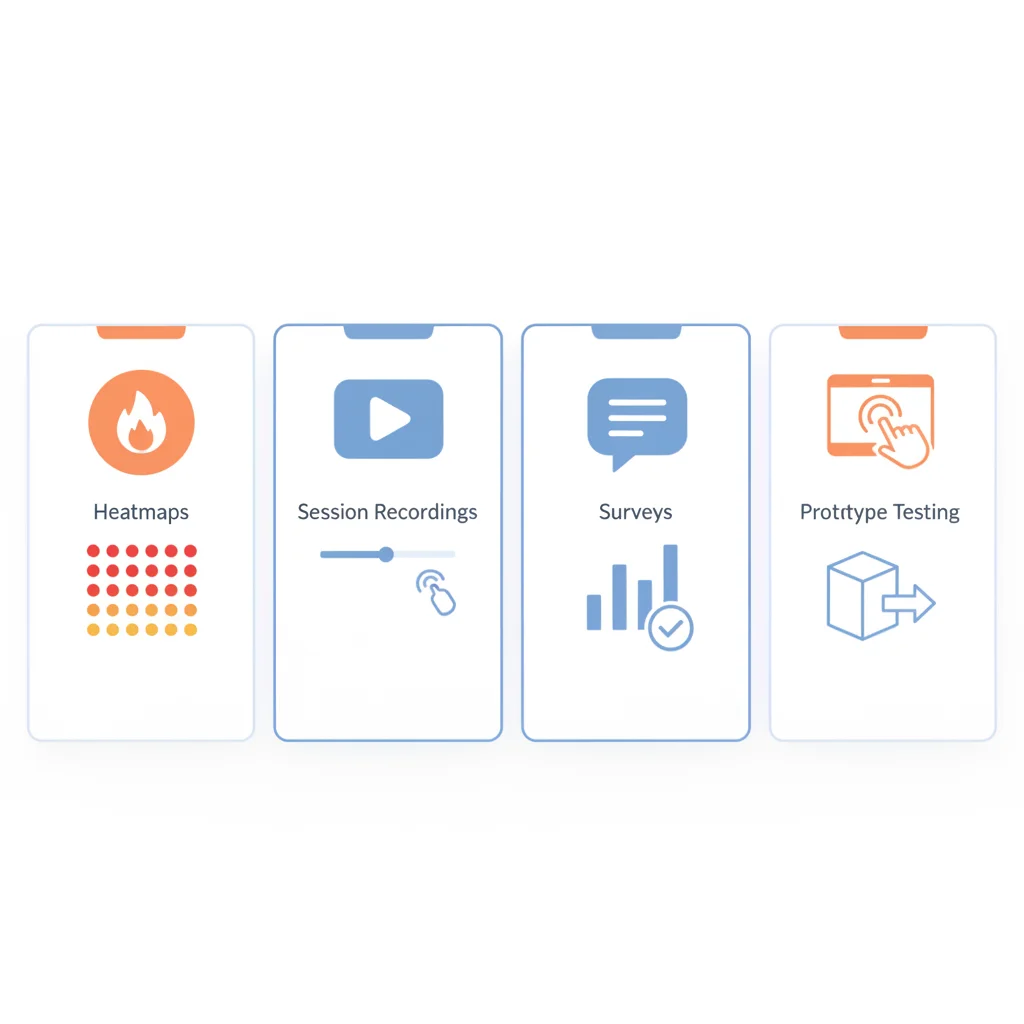
Quantitative tools like heatmaps, click maps, and session recordings collect behavioural data from large numbers of real visitors to your site. They show patterns in aggregate rather than individual experiences. This approach complements qualitative testing by revealing what happens at scale.
Prototype Testing
Some tools let you test designs before they are built, using clickable prototypes created in tools like Figma or Adobe XD. This is valuable for validating design concepts early, before investing in development.
Top User Testing Tools Reviewed
Here is our review of the most effective user testing tools available in 2026, covering a range of budgets and testing needs.
Hotjar
Best for: Small to medium businesses wanting behavioural analytics and quick feedback.
Hotjar is one of the most popular website analytics and feedback tools globally, and for good reason. It combines heatmaps, session recordings, surveys, and feedback widgets in a single, user-friendly platform.
Key features:
- Heatmaps: Visualise where users click, move their cursor, and how far they scroll on any page. This instantly reveals which elements get attention and which are ignored.
- Session recordings: Watch replays of individual user sessions to see exactly how people navigate your site, where they get stuck, and where they drop off.
- Surveys and feedback: Deploy on-site surveys and feedback widgets to ask users directly about their experience. Target surveys to specific pages, user segments, or behaviours.
- Funnels: Track user journeys through specific conversion paths to identify where drop-offs occur.
Pricing: Free plan available with limited sessions. Paid plans start at approximately $39 per month, scaling with traffic volume and feature needs.
Strengths: Easy to set up (single tracking code), intuitive interface, excellent for quick insights, affordable for small businesses.
Limitations: Not a full usability testing platform. No moderated testing, no task-based testing, and no participant recruitment. Best used alongside dedicated usability testing tools.
Microsoft Clarity
Best for: Budget-conscious businesses wanting heatmaps and session recordings for free.
Microsoft Clarity is a free behavioural analytics tool that offers many of the same features as Hotjar’s paid plans, including heatmaps, session recordings, and insights dashboards.
Key features:
- Unlimited heatmaps and recordings: Unlike Hotjar’s free plan, Clarity places no limits on sessions or data collection.
- Smart insights: Automatically identifies sessions with “rage clicks” (frustrated repeated clicking), “dead clicks” (clicking on non-interactive elements), and excessive scrolling.
- Google Analytics integration: Connect Clarity with GA4 to view session recordings directly from your analytics reports.
- Copilot summaries: AI-powered summaries of user behaviour patterns and potential usability issues.
Pricing: Completely free with no usage limits.
Strengths: Free, unlimited data, easy setup, AI-powered insights, integration with GA4.
Limitations: No surveys, no feedback widgets, no usability testing features. Limited customisation compared to Hotjar. Best used as a complementary free tool.
Maze
Best for: Design teams wanting to test prototypes and live sites with structured tasks.
Maze is a product research platform built for designers and product teams. It integrates directly with design tools like Figma, Sketch, and Adobe XD, letting you turn prototypes into testable experiences with just a few clicks.
Key features:
- Prototype testing: Import designs from Figma or other tools and create task-based tests that participants complete independently.
- Live website testing: Test existing websites with real users completing specific tasks.
- Mission-based tasks: Define specific goals (“Find the pricing page and select the Pro plan”) and measure success rates, time on task, and misclick rates.
- Heatmaps and click maps: See exactly where users clicked on each screen of your prototype or website.
- Surveys and questions: Insert survey questions between tasks to gather qualitative feedback.
- Participant recruitment: Recruit testers from Maze’s panel or invite your own users.
Pricing: Free plan available with limited tests. Professional plans start at approximately $99 per month.
Strengths: Excellent Figma integration, fast unmoderated testing, actionable quantitative metrics (success rates, misclicks, time on task), good for iterative design processes.
Limitations: No moderated testing. Prototype testing is limited to click-through interactions (no text input, no complex interactions). Panel recruitment can be expensive for niche audiences.
UserTesting
Best for: Enterprises and agencies needing comprehensive moderated and unmoderated testing.
UserTesting is the industry-leading platform for remote usability testing. It provides access to a large panel of diverse testers and supports both moderated and unmoderated testing across websites, apps, and prototypes.
Key features:
- Large participant panel: Access to over two million testers worldwide, with detailed demographic targeting including age, location, income, device type, and custom screener questions.
- Video-based testing: Participants share their screen and think aloud as they complete tasks, providing rich qualitative insights.
- Moderated and unmoderated options: Choose between live moderated sessions with a facilitator or self-paced unmoderated tests.
- Highlight reels: Create shareable video clips of key moments from testing sessions to communicate findings to stakeholders.
- Templates: Pre-built test templates for common scenarios like checkout testing, homepage evaluation, and competitor comparison.
Pricing: Enterprise pricing, typically starting at several thousand dollars per year. Not suitable for small businesses with limited budgets.
Strengths: Largest tester panel, highest-quality video recordings, excellent for deep qualitative insights, strong stakeholder communication tools.
Limitations: Expensive. Overkill for basic testing needs. Minimum commitment typically required.
Lookback
Best for: UX researchers who prioritise moderated testing and deep qualitative insights.
Lookback specialises in live, moderated user research sessions. It is designed for researchers who want to have real conversations with users while observing their behaviour.
Key features:
- Live moderated sessions: Conduct interviews and usability tests via video call, with the participant’s screen shared and recorded.
- In-context mobile testing: Participants can share their mobile screen while using your app or mobile website, with picture-in-picture video of their face.
- Self-test (unmoderated) option: Participants record themselves completing tasks asynchronously.
- Timestamped notes: Take notes during sessions that are automatically linked to the moment in the video, making analysis faster.
- Team collaboration: Multiple team members can observe live sessions and take notes collaboratively.
Pricing: Plans start at approximately $25 per month for freelancers, with team plans at higher tiers.
Strengths: Excellent for moderated research, strong mobile testing capabilities, good collaboration features, reasonable pricing for the quality offered.
Limitations: No participant panel (you need to recruit your own testers). No heatmaps or quantitative analytics. Focused specifically on qualitative research.
UsabilityHub (now Lyssna)
Best for: Quick, lightweight design validation and preference testing.
Lyssna (formerly UsabilityHub) offers a suite of quick testing methods that let you validate design decisions in minutes rather than days.
Key features:
- Five-second tests: Show users a design for five seconds and ask what they remember. This measures first impressions and whether key messages are communicated effectively.
- First-click tests: Present a design and a task, then measure where users click first. This reveals whether your layout guides users toward the right actions.
- Navigation tests: Test whether users can find specific content through your site’s navigation structure.
- Preference tests: Show users two or more design options and ask which they prefer, with optional follow-up questions about why.
- Surveys: Collect targeted feedback from your audience or Lyssna’s panel.
- Participant panel: Access to a diverse panel of testers with demographic targeting.
Pricing: Free plan available with limited features. Paid plans start at approximately $75 per month.
Strengths: Extremely fast results (minutes, not days), great for validating specific design decisions, easy to set up and interpret, built-in panel.
Limitations: Tests are limited in scope (specific interactions, not full user journeys). No session recordings or moderated testing. Best used for targeted questions, not comprehensive usability evaluations.
FullStory
Best for: Product teams wanting deep digital experience analytics with session replay.
FullStory provides comprehensive digital experience intelligence, combining session replay with powerful analytics, error tracking, and user journey analysis.
Key features:
- Session replay: Pixel-perfect replays of user sessions, including every click, scroll, and page transition.
- Frustration signals: Automatically detects rage clicks, error clicks, thrashed cursors, and form abandonment.
- Conversion funnels: Build and analyse custom funnels to identify where users drop off in critical paths.
- Searchable sessions: Search across all recorded sessions by user actions, pages visited, or events triggered.
- Error tracking: Identify JavaScript errors and console errors that affect user experience.
Pricing: Enterprise pricing. Free plan available with limited sessions. Paid plans are custom-quoted.
Strengths: Deep analytics capabilities, excellent for identifying issues at scale, powerful search and segmentation, strong for product-led teams.
Limitations: Expensive for small businesses. Complex to set up and learn. More focused on analytics than traditional usability testing.
How to Run Effective User Tests
Having the right tool is only half the equation. Running effective user tests requires careful planning and execution. Here is a framework for getting maximum value from your testing efforts.
Define Clear Objectives
Before running any test, define exactly what you want to learn. Vague objectives like “see if users like the site” produce vague results. Specific objectives like “determine whether users can find and complete the contact form within 60 seconds” produce actionable insights.
Good testing objectives answer a specific question:
- Can users find the pricing page from the homepage?
- Do users understand what our business offers within the first five seconds?
- Where do users encounter friction in the checkout process?
- Which of these two product page layouts leads to more add-to-cart actions?
Write Realistic Tasks
The tasks you give participants should mirror real-world scenarios. Instead of “Click on the Services menu and select Web Design,” write “You are looking for a company to redesign your website. Find information about their web design services and how much it might cost.”
The first version tells users exactly what to do. The second version tests whether your site guides them to the right place naturally. Realistic tasks produce meaningful results.
Recruit the Right Participants
Test with people who represent your actual target audience. If your website serves Australian small business owners, testing with university students will produce misleading results. Recruit five to eight participants per test round; research shows this is sufficient to uncover approximately 80% of usability issues.
If you cannot afford to use a testing panel, recruit from your existing customer base, social media followers, or professional network. Even testing with colleagues from a different department who are unfamiliar with the site is better than no testing at all.
Analyse and Act on Results
After testing, categorise findings by severity:
- Critical: Issues that prevent users from completing key tasks (broken forms, confusing navigation, missing information).
- Major: Issues that cause significant frustration but users can eventually work around (unclear labels, slow loading, confusing layout).
- Minor: Issues that cause mild friction but do not significantly impact task completion (visual inconsistencies, minor wording issues).
Fix critical and major issues first. Then run another round of testing to verify the fixes work and identify any new issues. Usability testing is most effective when it is iterative, not a one-time event.
Choosing the Right Tool for Your Needs
Here is a quick guide to help you choose based on your situation:
- On a tight budget? Start with Microsoft Clarity (free) for heatmaps and session recordings, plus Hotjar’s free plan for basic surveys.
- Small business wanting quick insights? Hotjar’s paid plan gives you a comprehensive set of behavioural analytics and feedback tools at an affordable price.
- Design team testing prototypes? Maze integrates with Figma and provides fast, structured prototype testing with quantitative metrics.
- Need deep qualitative research? Lookback for moderated testing, or UserTesting for access to a large participant panel with video recordings.
- Want fast design validation? Lyssna for five-second tests, first-click tests, and preference tests that deliver results in minutes.
- Enterprise product team? FullStory or UserTesting for comprehensive analytics and research capabilities at scale.
Many teams use a combination of tools. A common stack is Microsoft Clarity or Hotjar for ongoing behavioural analytics, plus Maze or Lyssna for periodic structured testing, plus Lookback for occasional deep-dive moderated sessions.
Integrating User Testing into Your Workflow
The biggest mistake businesses make with user testing is treating it as a one-off project rather than an ongoing practice. Here is how to make testing a regular part of your website improvement process:
- Test before major launches: Always test new page designs, checkout flows, or significant content changes before going live.
- Monitor continuously: Keep heatmap and session recording tools running at all times to catch emerging usability issues.
- Test after changes: Verify that design changes actually improved the experience by testing again after implementation.
- Create a testing calendar: Schedule structured usability tests quarterly or monthly, depending on your development pace.
- Share findings widely: Usability insights should inform decisions across your organisation, not just within the design team. Share highlight reels, key findings, and recommendations with stakeholders.
For more on optimising your website’s overall performance, explore our guides on optimising your website’s user experience and how website optimisation drives business objectives.
Need help identifying and fixing usability issues on your website? PWD is an Australian digital agency that combines data-driven design with user research to create websites that perform. Contact our team to discuss a usability audit and improvement plan for your site.
What is the best free user testing tool?
Microsoft Clarity is the best free user testing tool for behavioural analytics, offering unlimited heatmaps, session recordings, and AI-powered insights at no cost. For structured usability testing with tasks, Maze and Lyssna both offer free plans with limited features. Hotjar also provides a free plan with basic heatmaps and recordings, though with session limits.
How many users do I need for a usability test?
Research by usability expert Jakob Nielsen shows that testing with five users uncovers approximately 85% of usability problems. For most testing rounds, five to eight participants is sufficient. If you are testing with distinct user segments (for example, new versus returning customers), aim for five participants per segment. More participants are needed for quantitative testing where statistical significance matters.
What is the difference between heatmaps and session recordings?
Heatmaps show aggregate user behaviour across all visitors to a page, visualising where people click, how far they scroll, and where they move their cursor. They reveal patterns across your entire audience. Session recordings show individual user sessions replayed as video, letting you see exactly how one person navigated your site. Use heatmaps to identify patterns and session recordings to understand the context behind those patterns.
Should I use moderated or unmoderated user testing?
Use moderated testing when you need deep qualitative insights, want to ask follow-up questions, or are exploring complex design problems. Use unmoderated testing when you need faster results, are testing specific tasks with clear success criteria, or need to test with a larger number of participants. Many teams use both approaches for different purposes.
How often should I conduct user testing?
At minimum, test before any major website redesign or feature launch. Ideally, conduct structured usability tests quarterly and keep behavioural analytics tools like heatmaps and session recordings running continuously. The most effective approach is to integrate testing into your regular development cycle, testing early and often rather than waiting for a complete redesign.
Can I do user testing on a small budget?
Yes. Start with free tools like Microsoft Clarity for heatmaps and session recordings. Use Hotjar’s free plan for basic surveys. For structured testing, recruit five participants from your existing customer base or professional network and ask them to complete tasks while sharing their screen over a video call. Even simple, informal testing provides valuable insights that no testing at all does not.