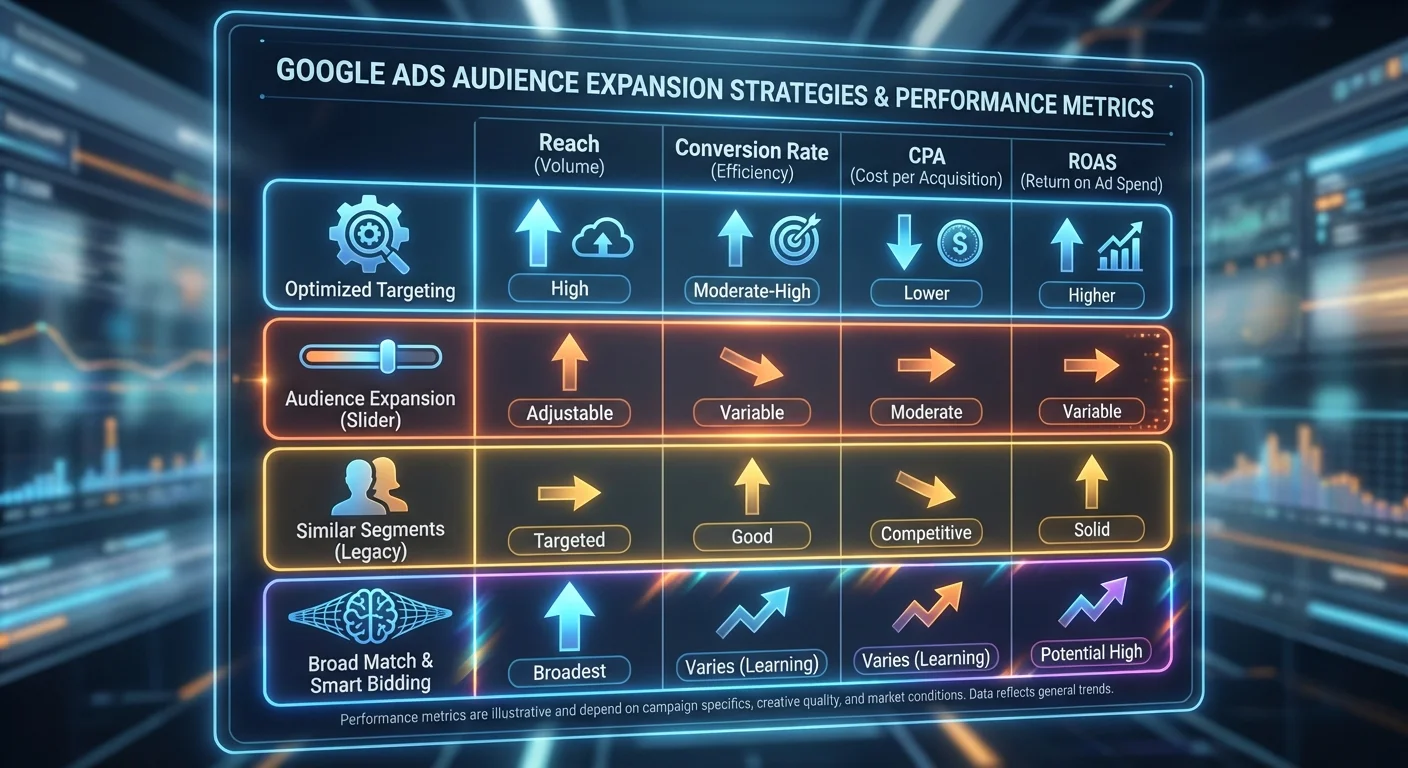
Google Ads Remarketing: 6 Ways to Grow a Small Remarketing Audience

Running successful AdWords remarketing campaigns can transform your business results. Research from Advanced Web Ranking shows that users are 70% more likely to convert when retargeted with display ads. Standard display ads get just 0.07% CTR. Remarketing ads hit 0.7%. That is 10 times better.
But here is the challenge. Remarketing campaigns often hit a ceiling. You target users who already visited your site — a highly relevant group, but a limited one. Performance plateaus, and scaling gets harder. That is where these six proven strategies come in.
The Remarketing Dilemma: Better Converters, Smaller Audiences
Remarketing works because it targets users who already showed interest in your business. These visitors convert at higher rates and typically cost less to acquire. Building effective remarketing lists forms the foundation of successful PPC campaigns.
However, this precision has limits. Your remarketing pool only includes previous website visitors. As campaigns mature, two problems appear:
- You get shrinking returns from audience saturation
- You cannot scale successful campaigns further
The solution? Grow your remarketing audience while keeping your targeting sharp. These six methods show you exactly how.
1. Similar Audiences: Find Your Customer Twins
Similar audiences are Google’s most advanced audience expansion tool. This feature studies your existing remarketing lists and finds new users with matching traits and behaviours.
For more detail, see our guide on remarketing lists that boost Google Ads.
Here is how it works: Google looks at browsing patterns across the Display Network over the past 30 days. It combines this with context analysis to find users who mirror your remarketing audience. You need at least 500 cookies in your remarketing list to use this feature.
According to Google, similar audiences can grow your remarketing reach by 7 times. These users have not visited your site before. However, they show similar interests and online behaviour.
Setting Up Similar Audiences
Go to your Display Network campaign and click the red +targeting button:
Select your desired ad group, then choose “Add targeting” > “Interests and remarketing”:
From the category dropdown, select “Similar audiences”. Google creates these lists automatically based on your remarketing data:
Pro tip: Use longer attribution windows for similar audiences. These users see your brand for the first time. As a result, their path to conversion may take longer than your existing remarketing audience.
2. Auto-Targeting for Automated Expansion
Auto-targeting offers a hands-off way to grow your audience. When you turn on enhanced CPC (eCPC) with conversion-focused settings, Google suggests activating auto-targeting for your remarketing lists.
Auto-targeting comes in two types:
- Conservative: Stays close to your target CPA
- Aggressive: Aims for maximum conversion volume
Auto-targeting gives you less control than similar audiences. However, it works well for campaigns that focus on automation over hands-on management.
3. Affinity Audiences: Broad Interest Targeting
Affinity audiences target users based on their long-term interests and lifestyle. Google studies browsing history, YouTube viewing habits, and time spent on pages. It then groups users into interest segments.
With over 80 interest categories — from travel and fashion to health and sports — affinity audiences help you find relevant online audiences at scale. They work especially well for businesses used to TV advertising.
Affinity audiences work best for awareness-stage campaigns. However, many advertisers find the targeting too broad for direct response goals.
4. Custom Affinity Audiences: Precision Interest Targeting
Custom affinity audiences solve the “too broad” problem of standard affinity targeting. Instead of picking pre-set categories, you build your own audience lists. You combine interest categories with specific website URLs.
This works brilliantly for niche markets. For example, rather than targeting “fashion lovers” broadly, you might target “sustainable fashion fans.” You do this by combining eco-friendly interests with specific sustainable fashion blog URLs.
Building Custom Affinity Lists
Start with interest categories relevant to your business:
Add relevant website URLs where your ideal customers likely browse:
Include search terms and mobile apps to sharpen your targeting further:
Google suggests including at least 5 websites and topics. This prevents your audience from being too small. Adding more expands rather than shrinks your reach.
5. In-Market Audiences: High-Intent Prospects
In-market audiences target users who are actively looking to buy. This feature spots prospects currently researching or comparing products in your category.
Google looks at several behaviour signals to find in-market users:
- Visits to product review sites
- Price comparison site activity
- Purchase-intent search patterns
- Category-specific browsing behaviour
In-market audiences sit between broad affinity targeting and narrow remarketing lists. These prospects have not visited your site. However, they show clear buying signals in your product category.
If you want to reach beyond website visitors while still focusing on conversions, in-market audiences give you the right mix of scale and intent.
6. Customer Match: Identity-Based Targeting
Customer Match changes remarketing by letting you target people through email addresses. Since launching in 2015, this feature has outperformed similar Facebook tools. It delivers strong precision for cross-selling and upselling campaigns.
Setting Up Customer Email Lists
Go to your Shared Library and select Audiences:
Click the red “+” button and select “Customer emails”:
Name your list, upload your customer email file, and set up your preferences:
Google takes about 24 hours to match uploaded emails with existing Google accounts. Once done, your customer list is ready for targeting.
Applying Customer Match to RLSA Campaigns
Open your campaign’s Audience tab:
Follow standard remarketing setup steps. But instead of website remarketing lists, select “Customer email lists”:
Customer Match Performance Advantages
Customer Match gives you better remarketing accuracy. It tracks users by identity rather than cookies. This means true cross-device remarketing and stronger audience segmentation.
Google’s own data shows strong results when you combine customer match with standard remarketing:
- 48% increase in clicks
- 41% increase in conversions
Roland Mouret’s case study shows real-world results:
- 56% lower CPC than industry average
- 86% CPA improvement compared to previous months
Expanding Scale with Customer Match
Customer Match lets you target beyond website visitors. Many businesses collect email addresses offline — through in-store purchases, phone orders, trade shows, or direct mail responses. Customer Match brings these offline connections into your digital marketing.
For the best scale, upload lists with 5,000 or more emails. This unlocks similar audiences based on your customer email lists. In effect, you create lookalike audiences of your best customers.
Choosing the Right Audience Expansion Strategy
Each audience type serves different campaign goals:
| Audience Type | Best For | Scale Potential | Conversion Likelihood |
|---|---|---|---|
| Similar Audiences | Direct response campaigns | High (7x expansion) | High |
| In-Market | New customer acquisition | Medium-High | Medium-High |
| Custom Affinity | Niche market targeting | Medium | Medium |
| Customer Match | Cross-sell/upsell | Medium | Very High |
| Affinity | Brand awareness | Very High | Low-Medium |
| Auto-targeting | Automated optimisation | Medium | Medium |
Start with similar audiences if your remarketing campaigns already perform well. These users most closely match your proven converters.
If you have a large email database, Customer Match offers unmatched precision and cross-device reach.
In-market audiences work great for competitive categories where purchase intent signals are strong and clear.
Testing and Optimisation Best Practices
Run each audience type in separate campaigns for clean data. This stops audience overlap from skewing your metrics. It also lets you calculate accurate ROAS.
Track these key metrics across audience types:
- Cost per acquisition (CPA)
- Return on ad spend (ROAS)
- Conversion rate
- Average order value (AOV)
Similar audiences and in-market lists usually need 2 to 4 weeks to gather enough performance data. Customer Match often shows results faster because of higher intent levels.
The Future of Audience-Based Marketing
Digital marketing keeps shifting from keyword-focused to audience-focused strategies. Google’s machine learning gets better each month. This makes behavioural and contextual targeting more precise.
We expect future growth in:
- Cross-platform audience matching
- Predictive audience modelling
- Privacy-compliant identity resolution
- Real-time intent signal detection
Smart advertisers already adapt their digital marketing strategies to focus on audience insights over old-style demographic targeting.
The businesses that master audience expansion today will lead their markets tomorrow. Start using these six strategies now. Watch your remarketing campaigns reach new heights while keeping the precision that makes remarketing so powerful.
Frequently Asked Questions
What’s the minimum audience size needed for similar audiences in Google Ads?
You need at least 500 cookies in your remarketing list before Google can create similar audiences. Google studies this data to find users with matching traits and behaviours.
How long does it take for Customer Match lists to become active?
Google usually takes 24 hours to process and match uploaded email addresses with existing Google accounts. Once done, your customer list is ready for targeting across campaigns.
What’s the difference between affinity and in-market audiences?
Affinity audiences target users based on long-term interests and lifestyle patterns. In-market audiences focus on users who are actively researching or comparing products in your category right now.
Can I use Customer Match for display campaigns?
Yes, but with limits. Customer Match works on Gmail ads within display campaigns. However, it is not available across the broader Google Display Network like standard remarketing lists.
How much can similar audiences expand my remarketing reach?
According to Google, similar audiences can grow your remarketing audience by up to 7 times while staying relevant to your original audience traits.
Which audience expansion method works best for ecommerce?
Similar audiences usually perform best for ecommerce because they mirror your existing converting customers. In-market audiences also work well for competitive product categories with clear purchase intent signals.